# How do I print in the library?
#### via USB drive
- Insert USB drive into copier/printer on the right side of the screen
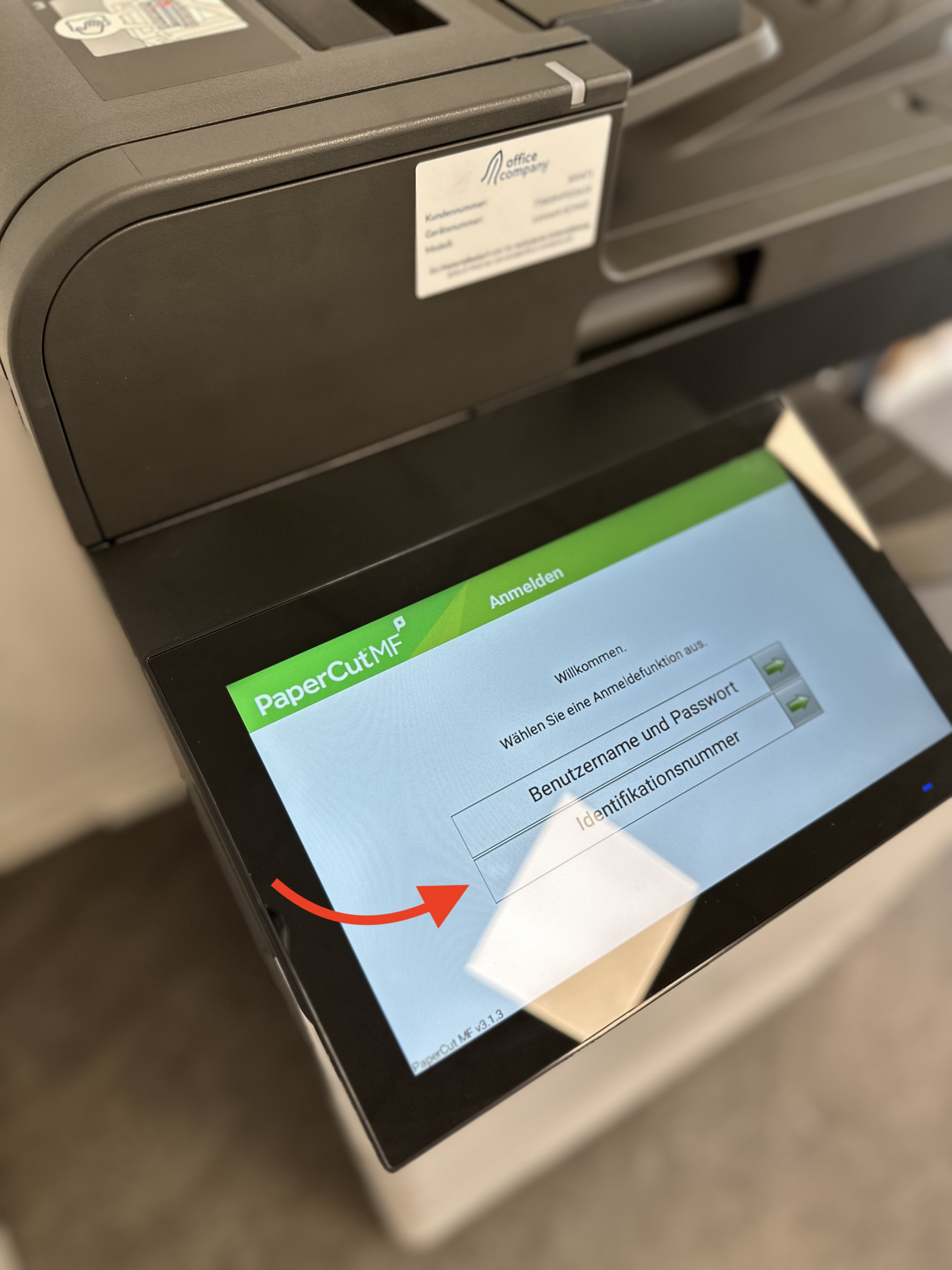
- On the copier/printer, press **Identifikationsnummer**
- Enter your five-digit printer code
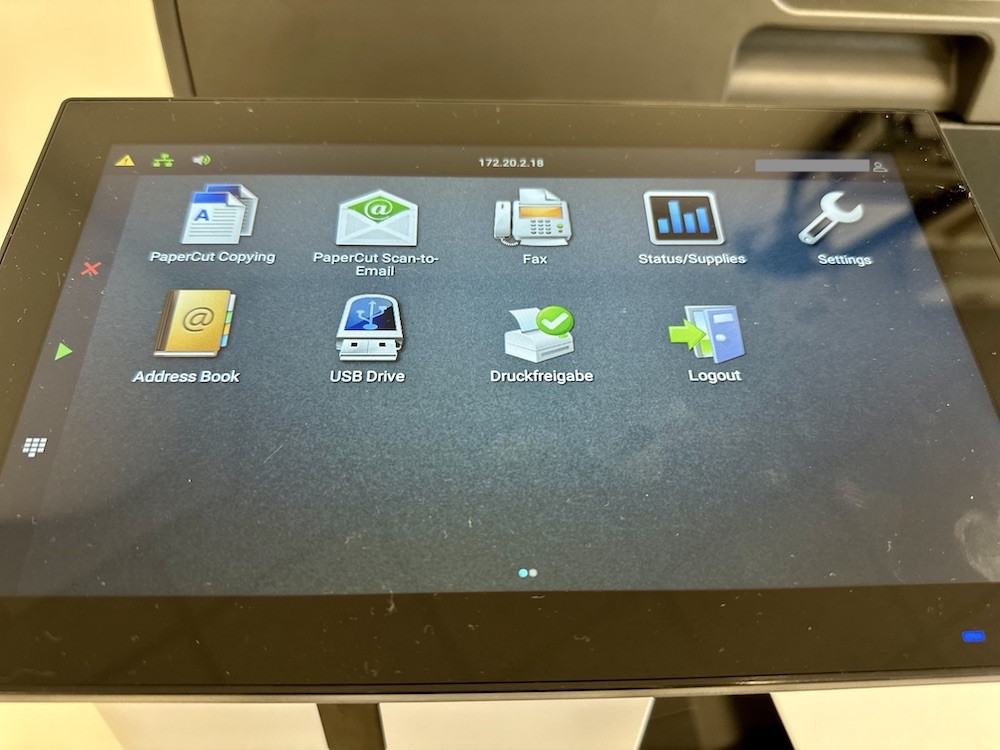
- Select the **USB Drive** function from the home screen
[](https://libguides.berlin-international.de/uploads/images/gallery/2024-10/img-6224.jpg)
- Select the document you'd like to print
#### via computers in library
- Log into one of the four iMac terminals in the library using your **network credentials** (the same used to access WLAN)
- Open the document you'd like to print
- Select **Print** from the File menu or press **Command + P**
- Select *Library Printer*
- Change any default options needed
- On the copier, press **Identifikationsnummer**
**[](https://libguides.berlin-international.de/uploads/images/gallery/2023-10/img-3397.jpg)**
- Enter your five-digit copier code into the copier/printer
The five-digit print code must belong to the same person that logged into the computer that sent the job to the copier/printer.
- Select the **Print Queue** (**Druckfreigabe**) from the home screen
[](https://libguides.berlin-international.de/uploads/images/gallery/2024-10/img-6224.jpg)
- Select the print job you'd like to print
- Confirm by press **Print** (**Drucken**)
#### via your personal computer
[Berlin International's IT department provides instructions for printing from either Mac or Windows computers.](https://kb.berlin-international.net/en-gb/6-printer)
---
### Troubleshooting
If you are having issues, [please see this page for troubleshooting](https://libguides.berlin-international.de/books/troubleshooting/page/printing).