How to Access Research Databases Using OpenAthens
Overview
As of July 2026, all remote databases have moved from proxy-based authentication (EZProxy) to OpenAthens. You will now see an OpenAthens or institutional sign-in screen instead. Off campus, every remote database link on the Research Database Index now goes through this process; on campus, IP recognition still applies and no sign-in is required.
Depending on the database, you will see one of two sign-in patterns, both explained below: most links take you straight to a sign-in page; a smaller number of platforms, including Scopus, ScienceDirect, SciVal, and Web of Science, first ask you to search for or select your institution.
Databases that sign you in directly
For most remote databases, clicking the link takes you straight to a sign-in page asking for your UMIS credentials. Faculty and staff should use their network credentials instead. No extra steps are needed: enter your credentials and you will be returned to the database.
Databases that ask you to select your institution
A few platforms use their own federated login screen rather than signing you in directly. These show an Institutional Sign In or similar option; you then need to search for or select Bahçeşehir Üniversitesi (Bahçeşehir University) and, where prompted, choose OpenAthens Federation and BAU - STU LDAP (AD) before entering your UMIS credentials. Two worked examples follow.
Example: Scopus (or ScienceDirect, SciVal)
Step 1: The link to Scopus from the Research Database Index should take you to the page below.
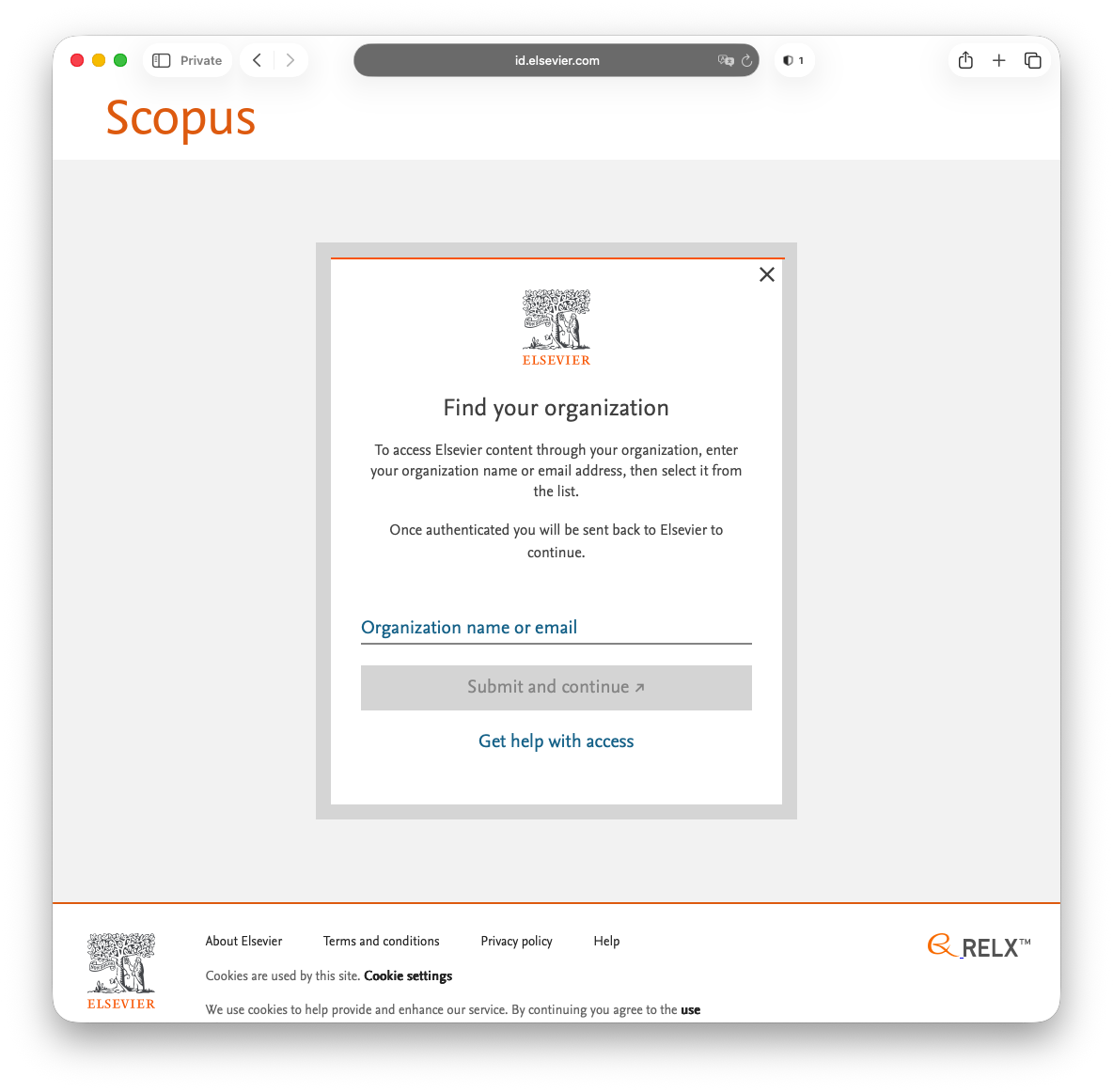
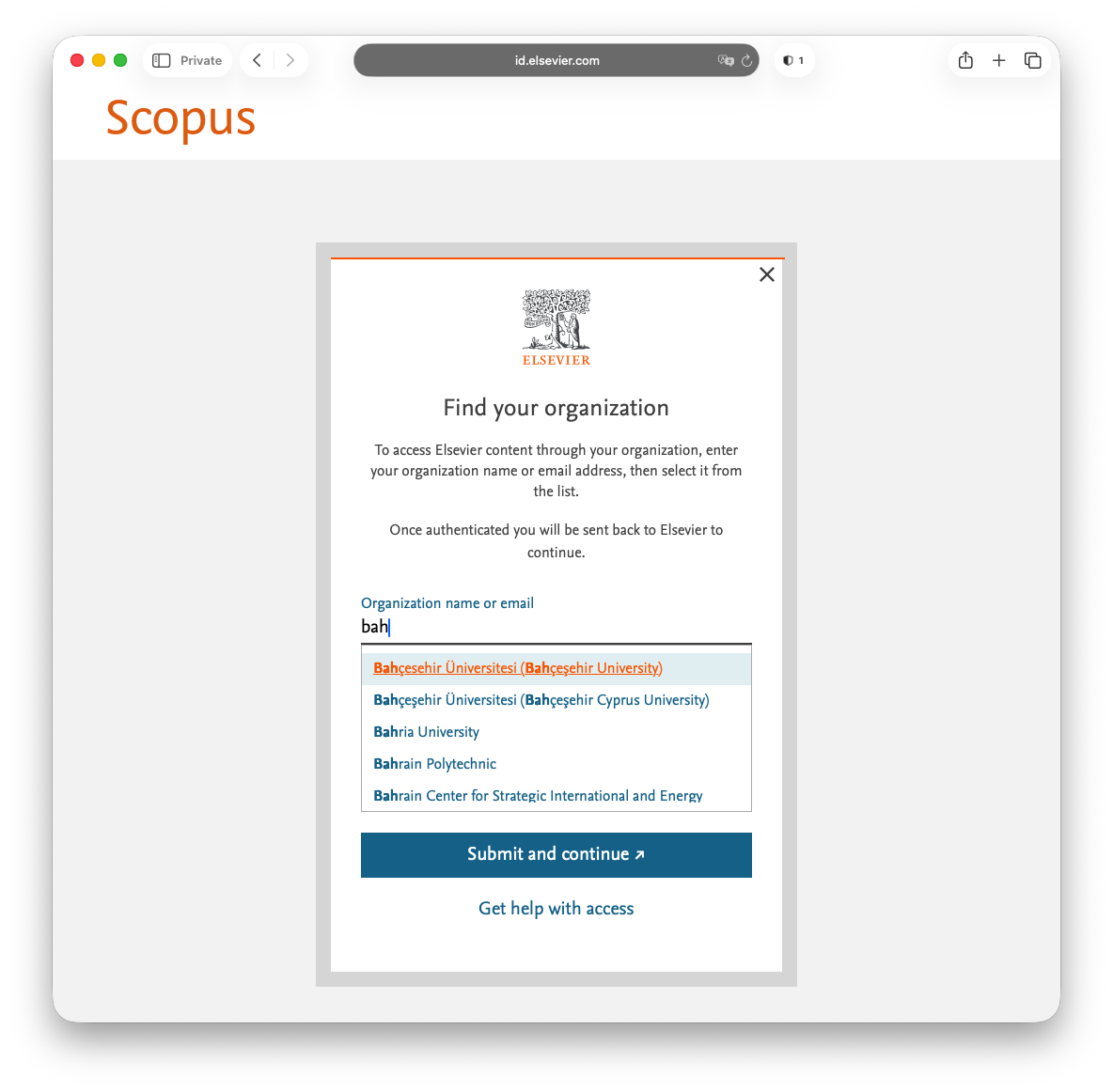
Step 2: From here, select Bahçesehir Üniversitesi (Bahçeşehir University).
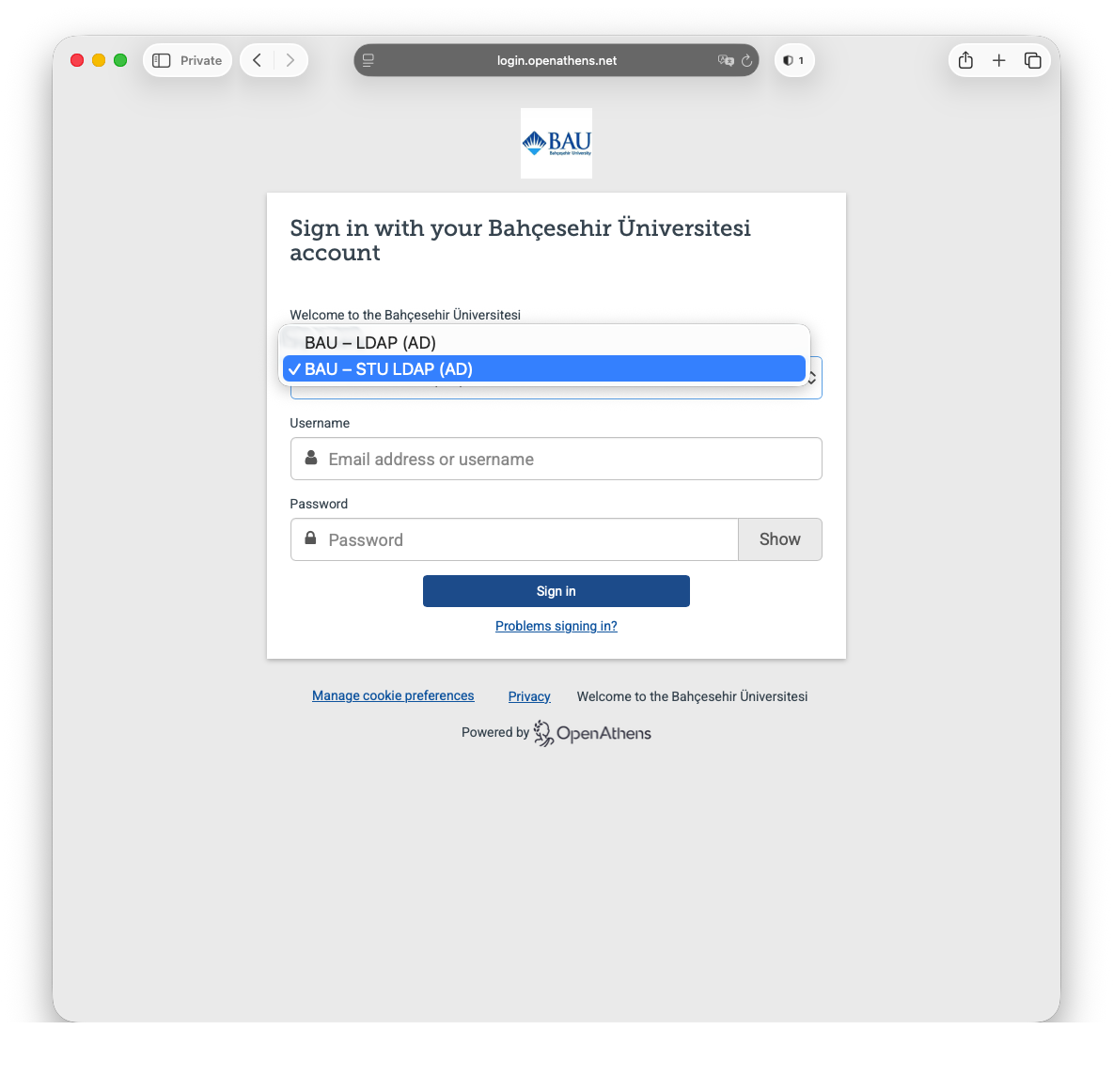
Step 3: Next select BAU - STU LDAP (AD) from the first drop-down menu followed by your UMIS credentials.
Faculty / staff should use their network credentials instead of UMIS credentials here.
Step 4
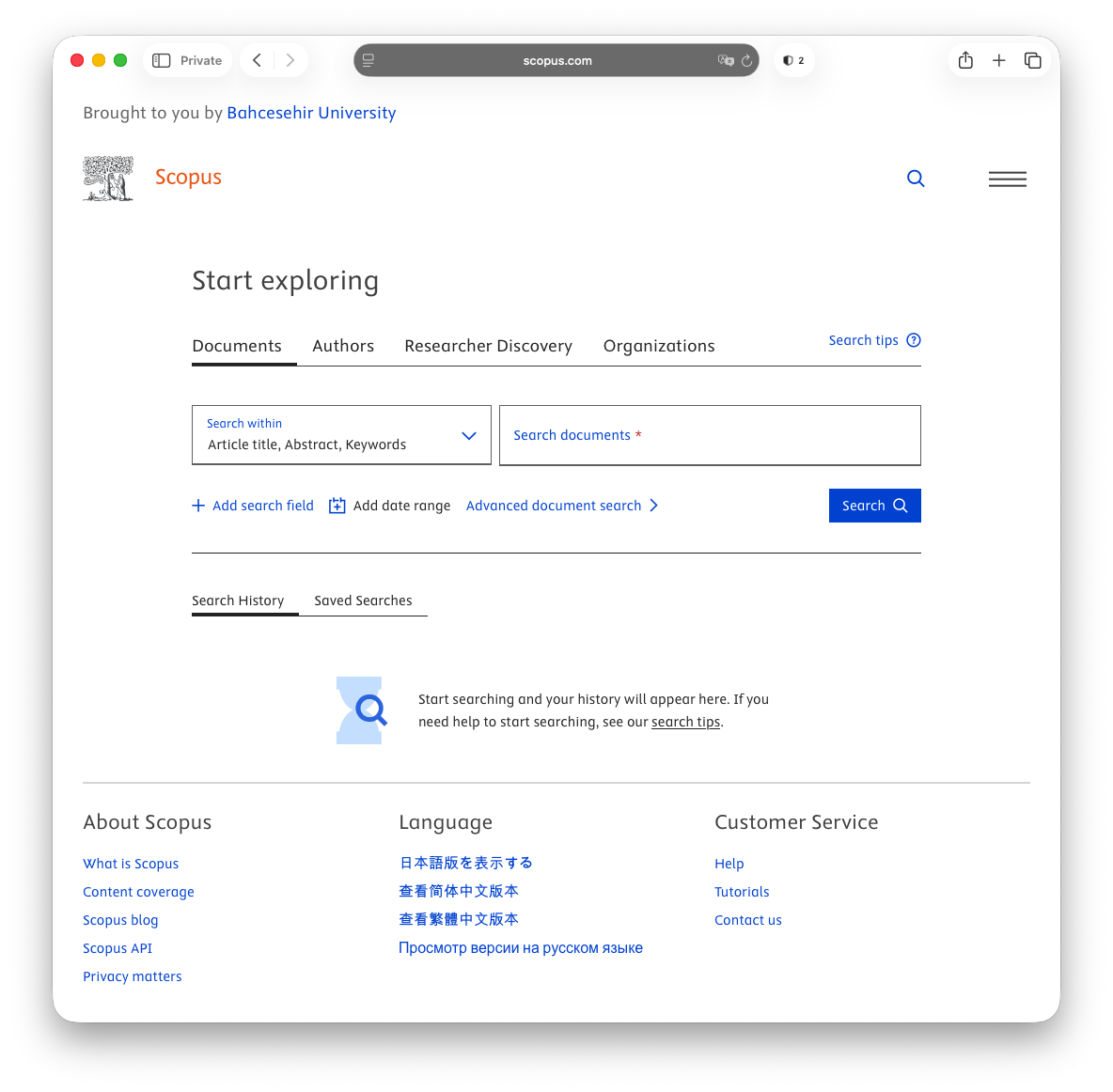
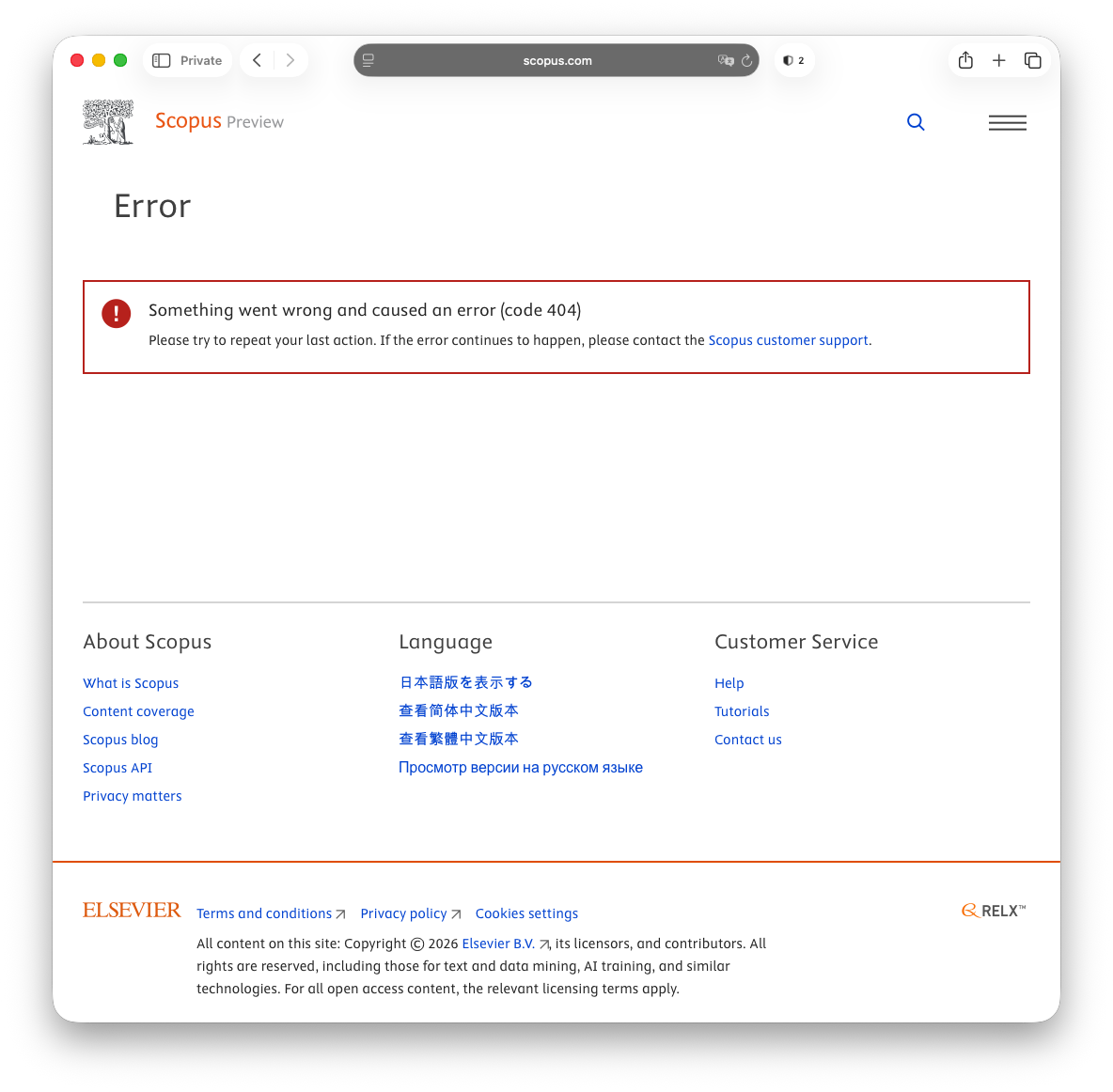
If you see the error screen below, simply click on the Scopus Preview logo in the top left corner of the screen and you will be redirected to the screen above.
Example: Web of Science
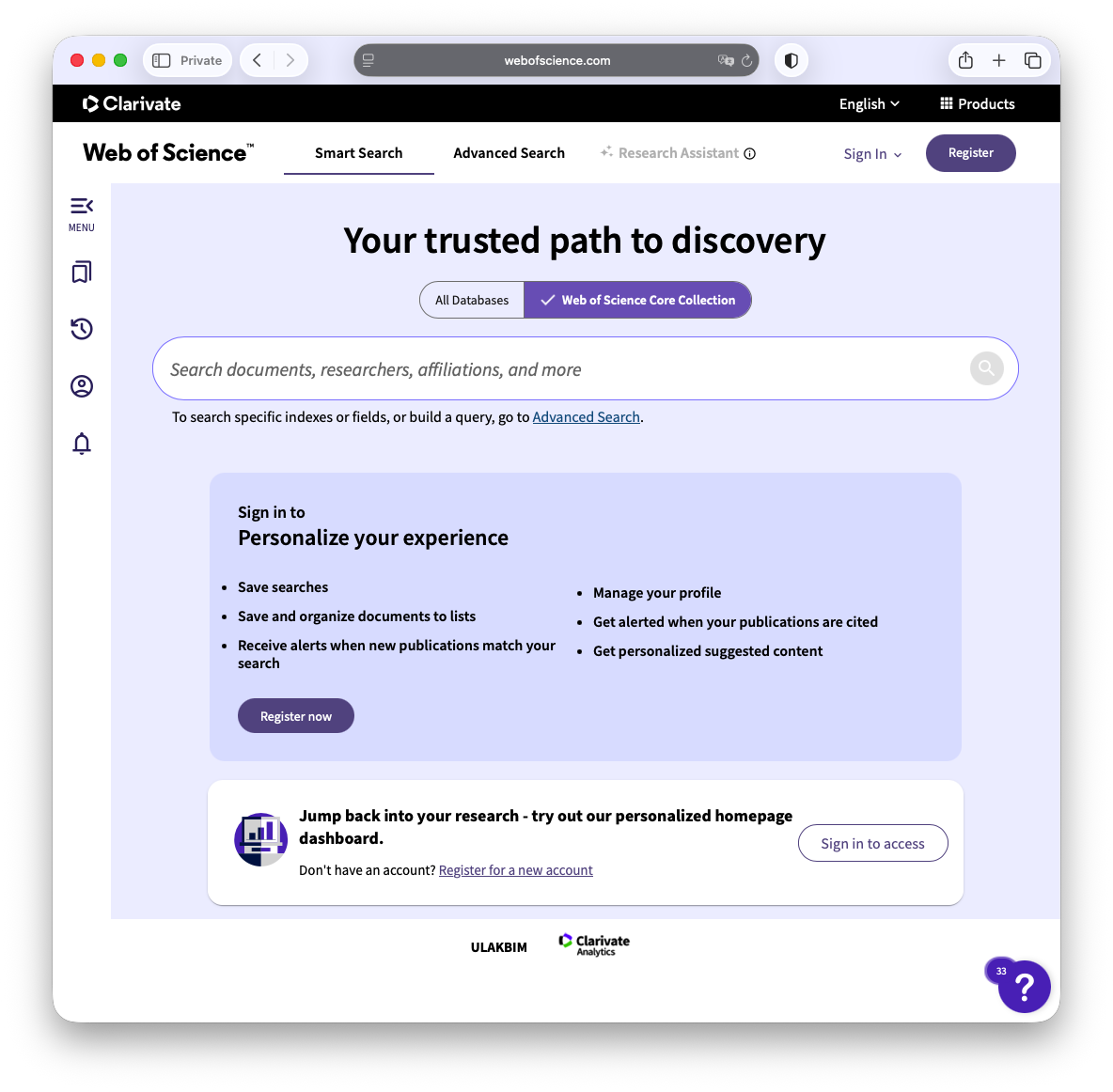
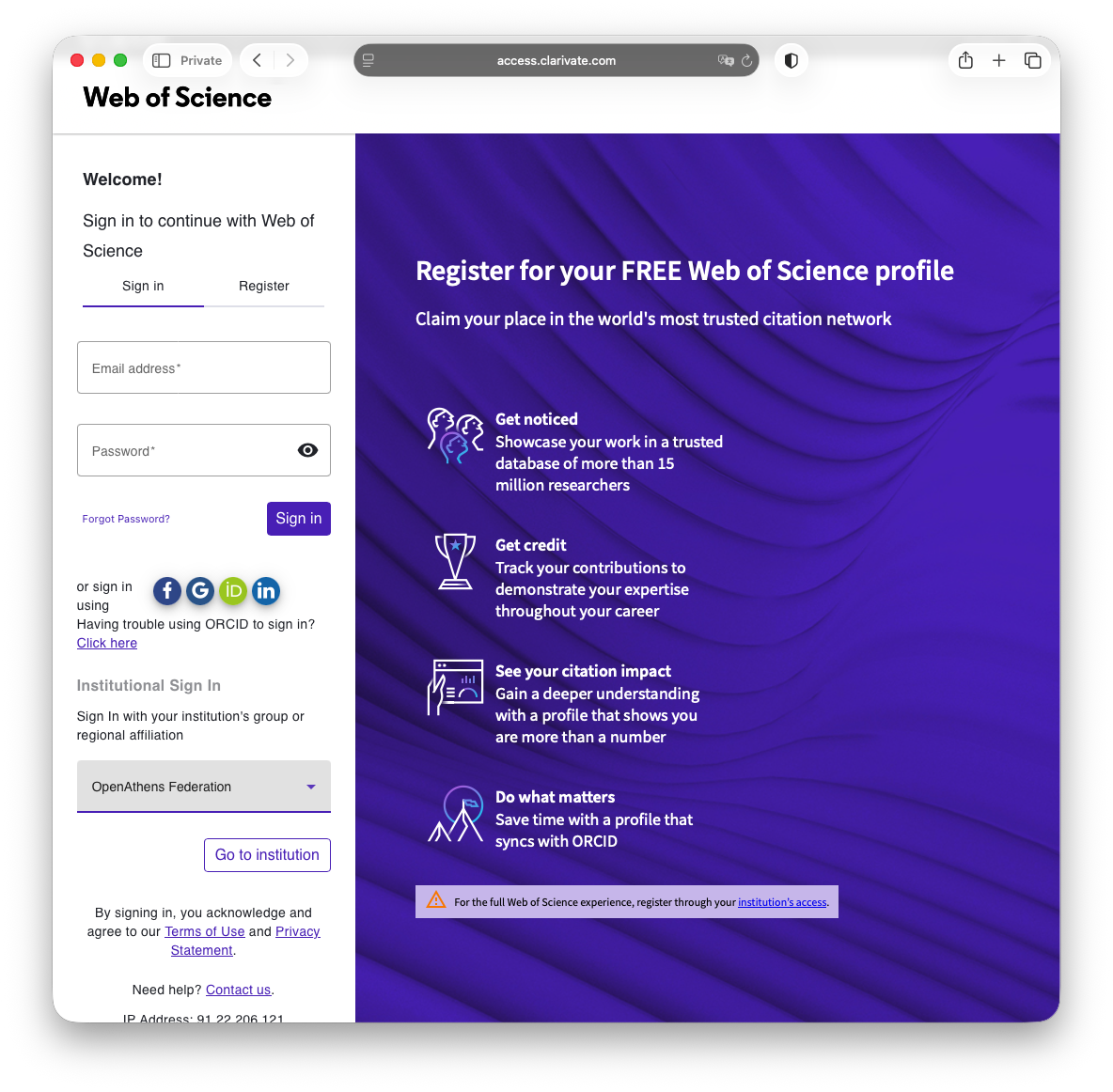
Step 1: The link to Web of Science from the Research Database Index should take you to the page below.
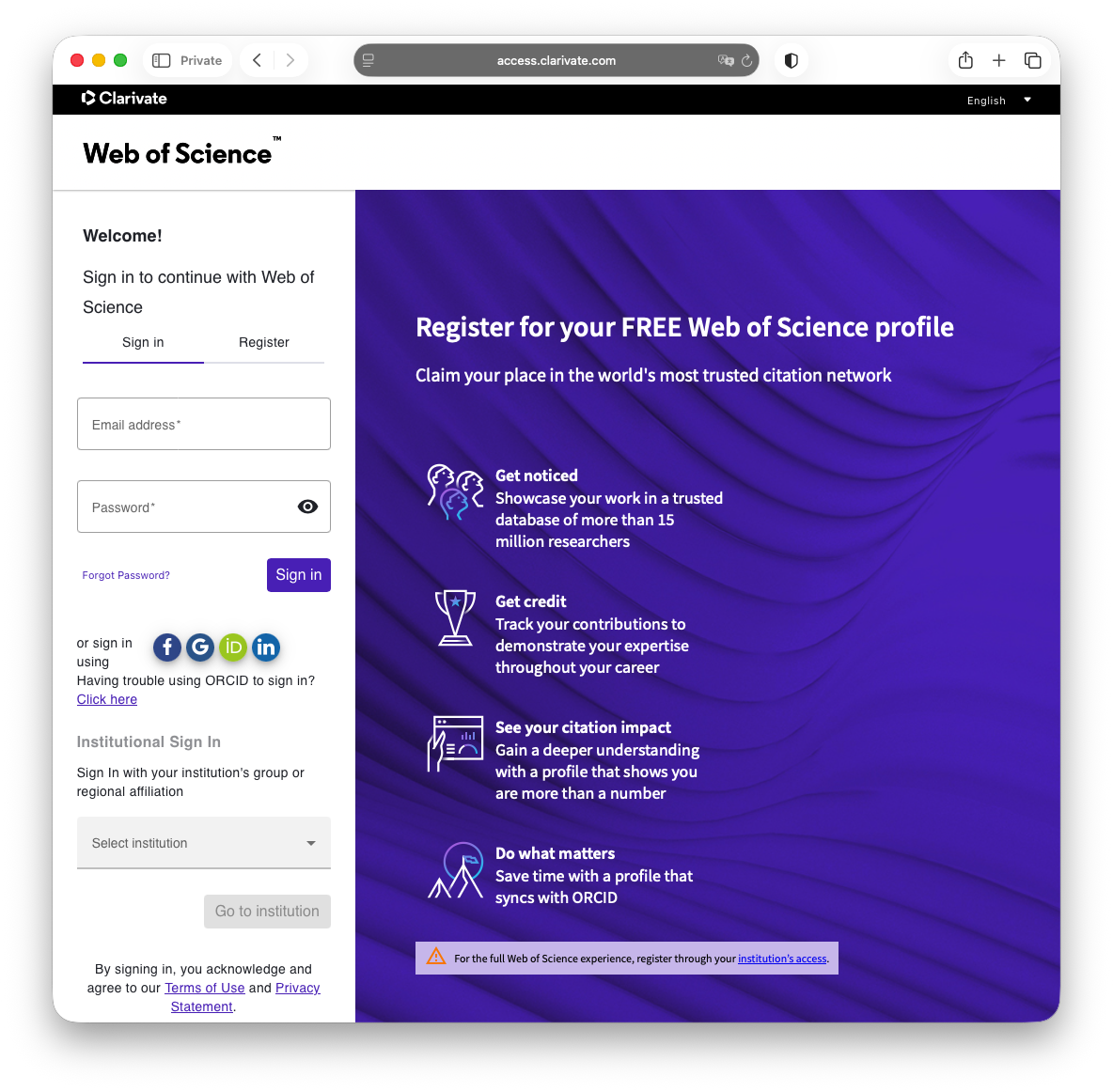
Step 2: Under Institutional Sign In, select OpenAthens Federation.
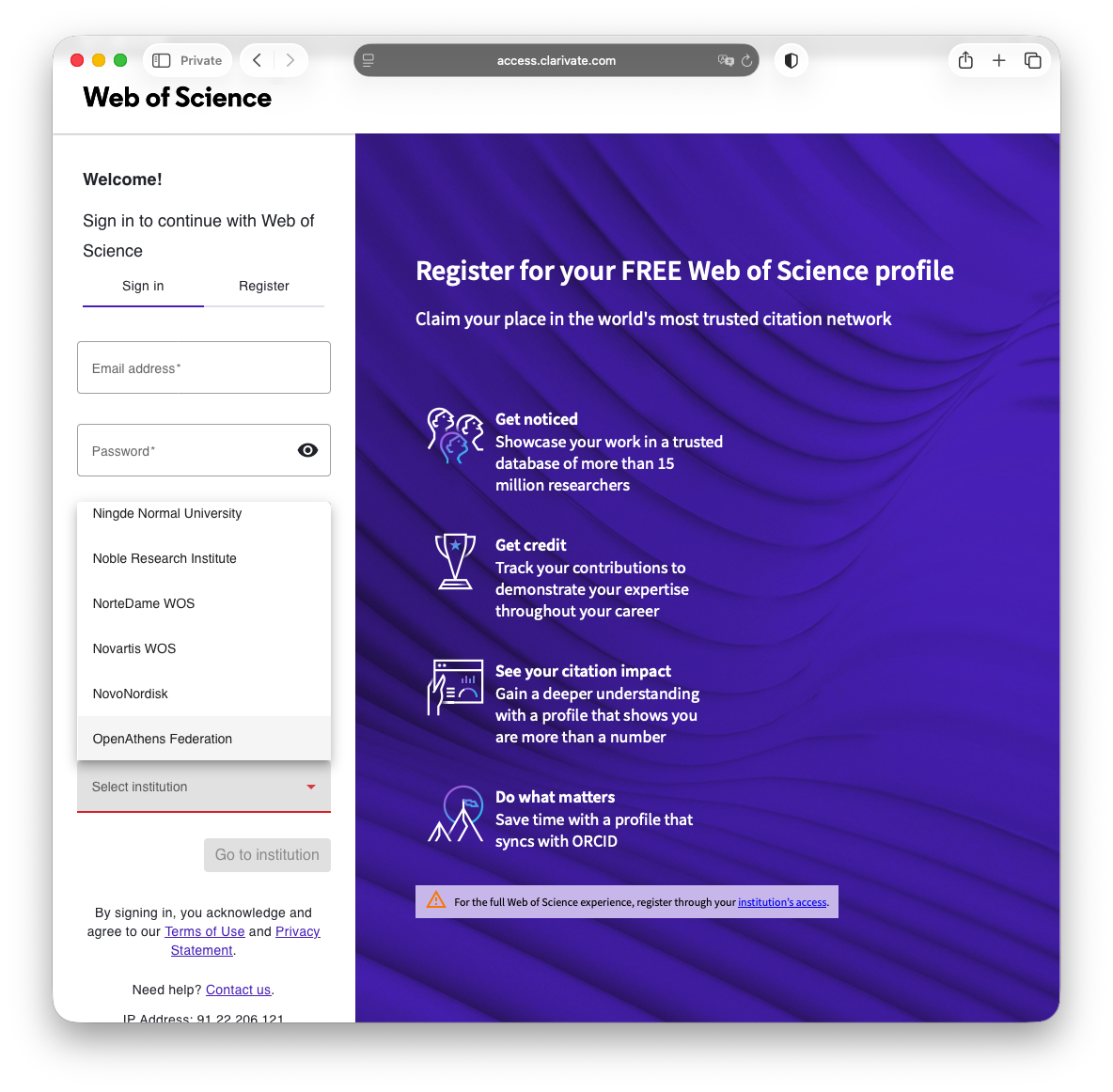
Step 3
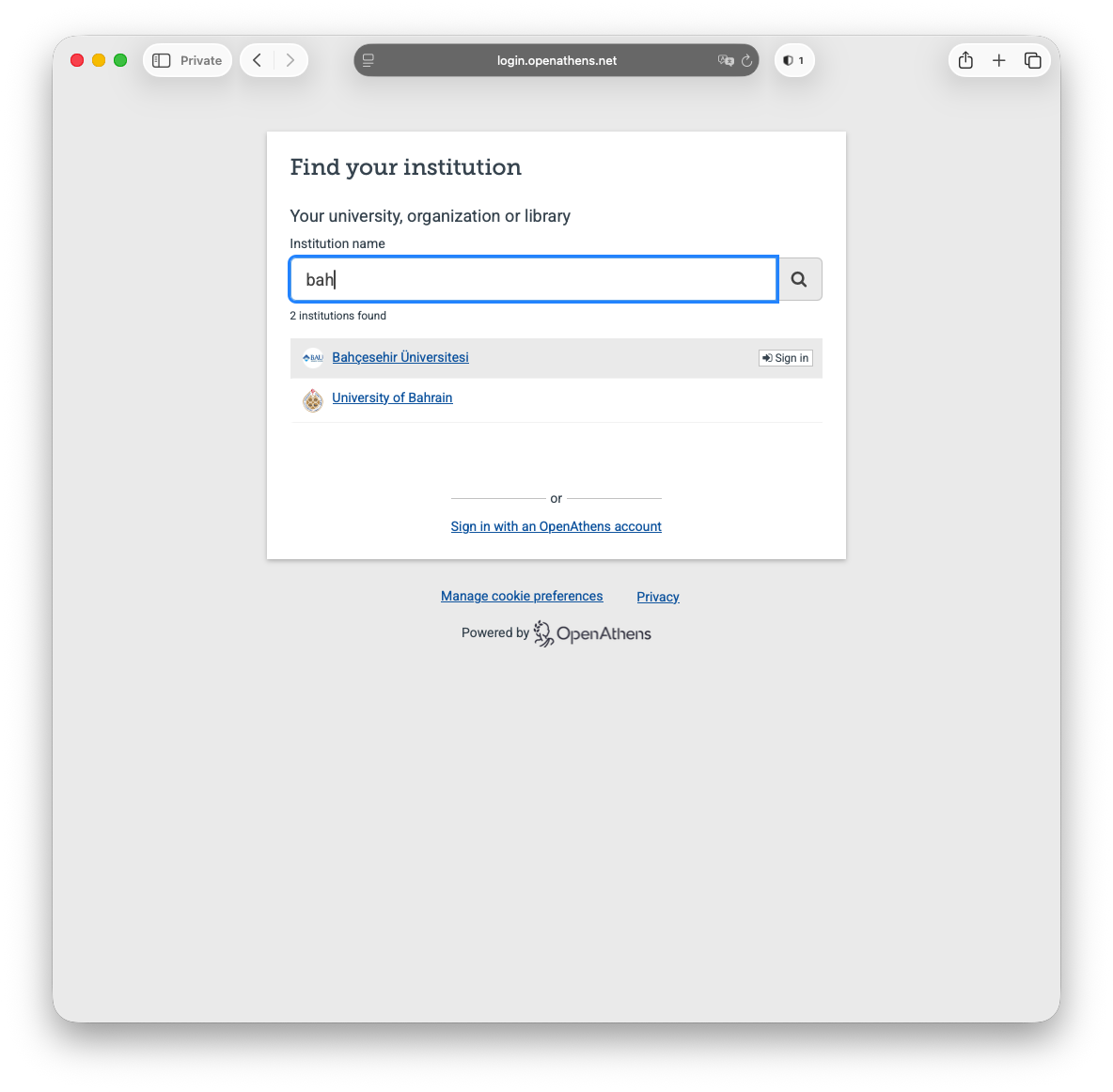
Step 4: From here, select Bahçesehir Üniversitesi.
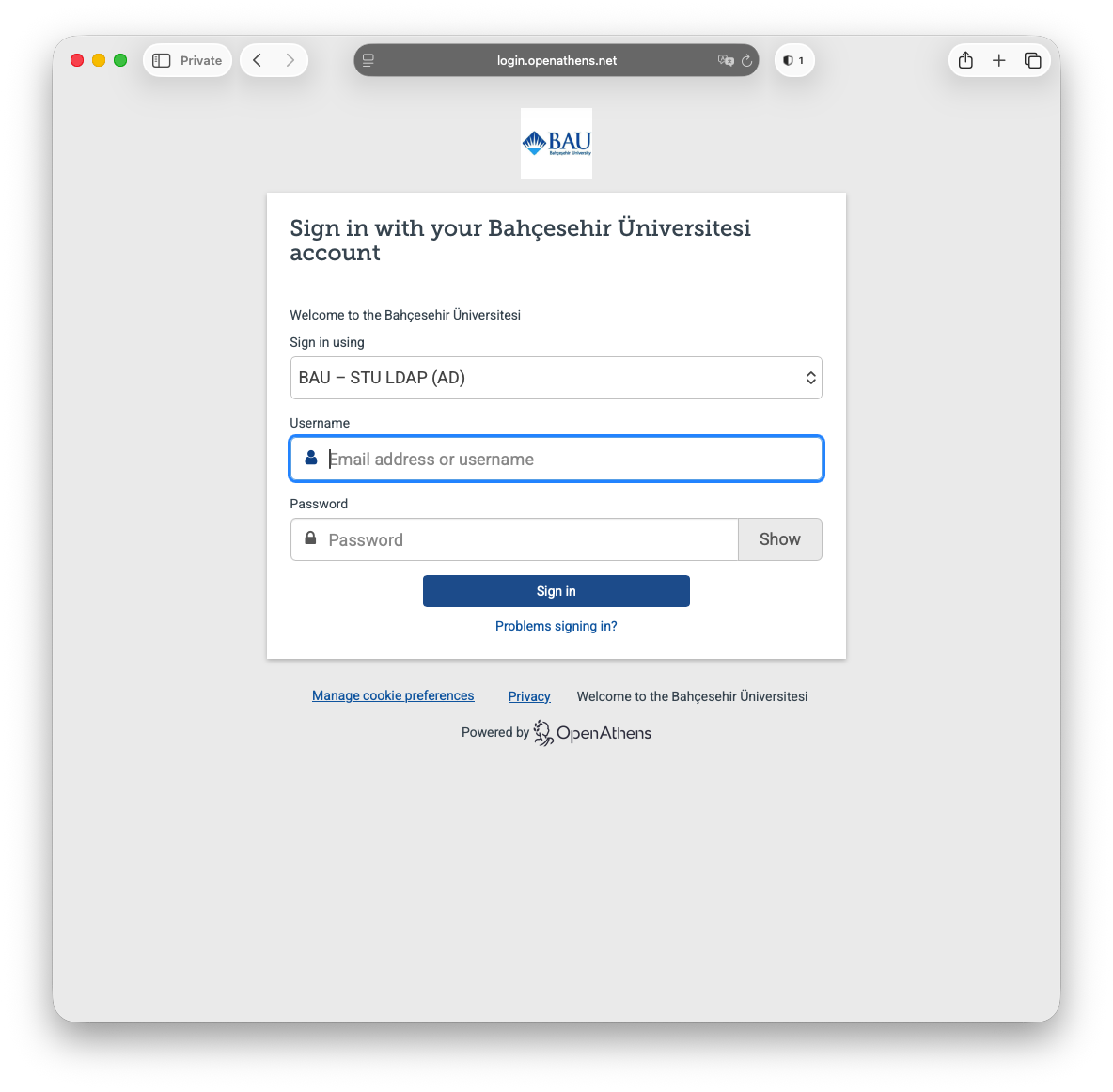
Step 5: Next select BAU - STU LDAP (AD) from the first drop-down menu followed by your UMIS credentials.
Faculty / staff should use their network credentials instead of UMIS credentials here.
Step 6