Depending on the database, you will see one of two sign-in patterns, both explained below: most links take you straight to a sign-in page; a smaller number of platforms, including Scopus, ScienceDirect, SciVal, and Web of Science, first ask you to search for or select your institution.
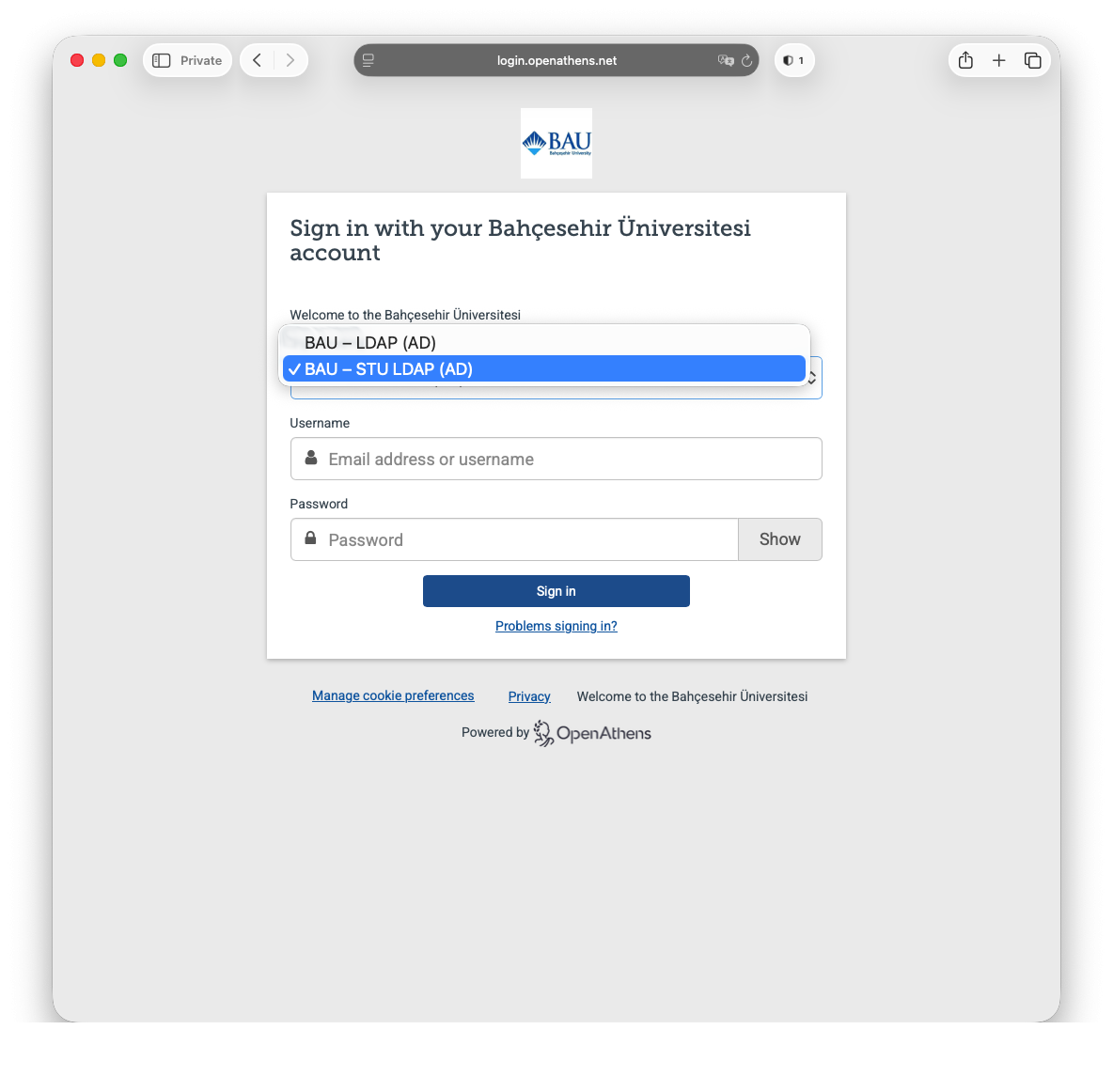
## Databases that sign you in directly For most remote databases, clicking the link takes you straight to a sign-in page asking for your UMIS credentials. Faculty and staff should use their network credentials instead. No extra steps are needed: enter your credentials and you will be returned to the database. ## Databases that ask you to select your institution A few platforms use their own federated login screen rather than signing you in directly. These show an **Institutional Sign In** or similar option; you then need to search for or select **Bahçeşehir Üniversitesi (Bahçeşehir University)** and, where prompted, choose **OpenAthens Federation** and **BAU - STU LDAP (AD)** before entering your UMIS credentials. Two worked examples follow. ### Example: Scopus (or ScienceDirect, SciVal) **Step 1**: The link to Scopus from the [Research Database Index](https://library.berlin-international.de/cgi-bin/koha/opac-page.pl?page_id=24) should take you to the page below. [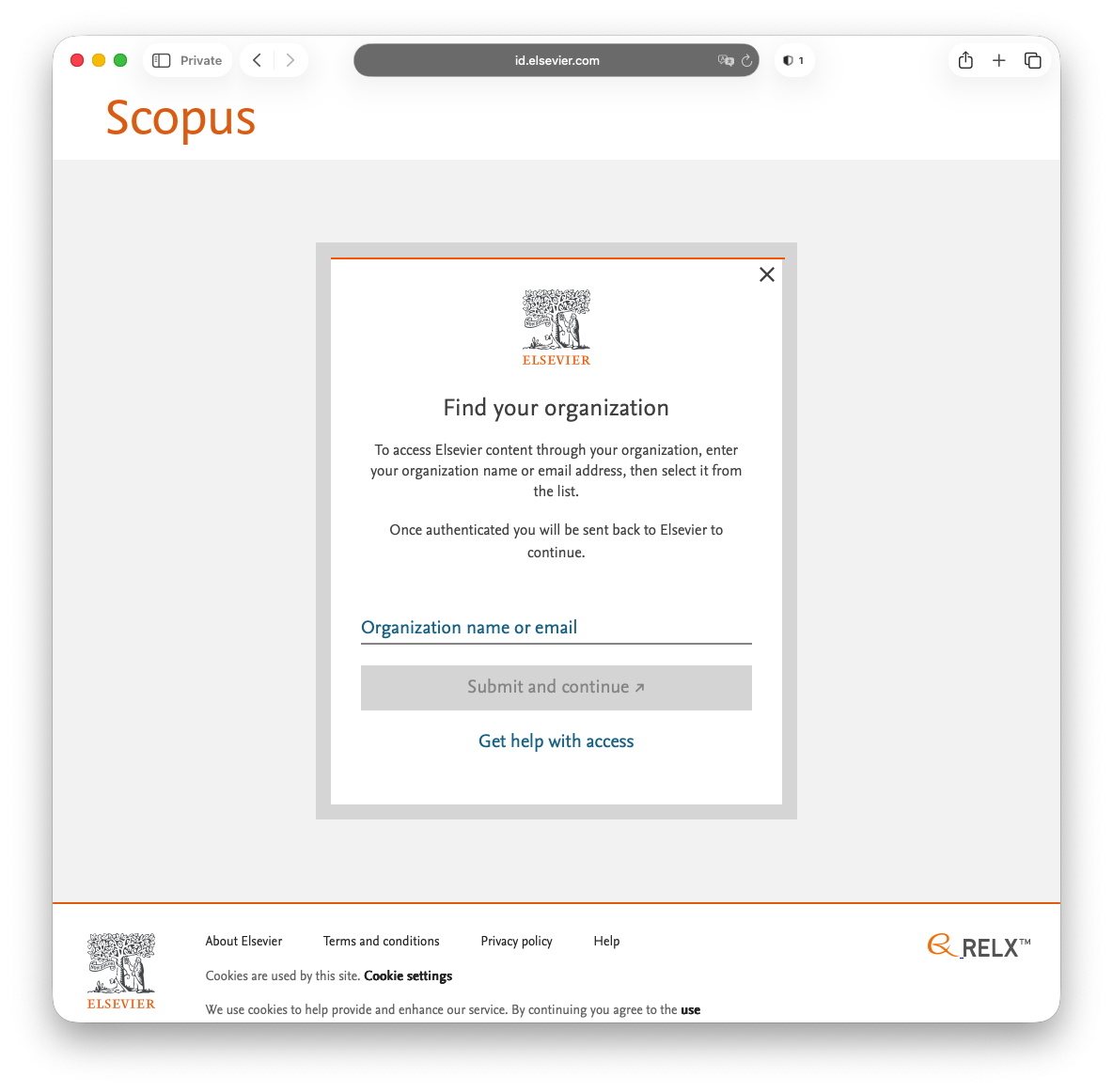](https://libguides.berlin-international.de/uploads/images/gallery/2026-03/screenshot-2026-03-09-at-10-36-00.png) **Step 2:** From here, select **Bahçesehir Üniversitesi (Bahçeşehir University)**. [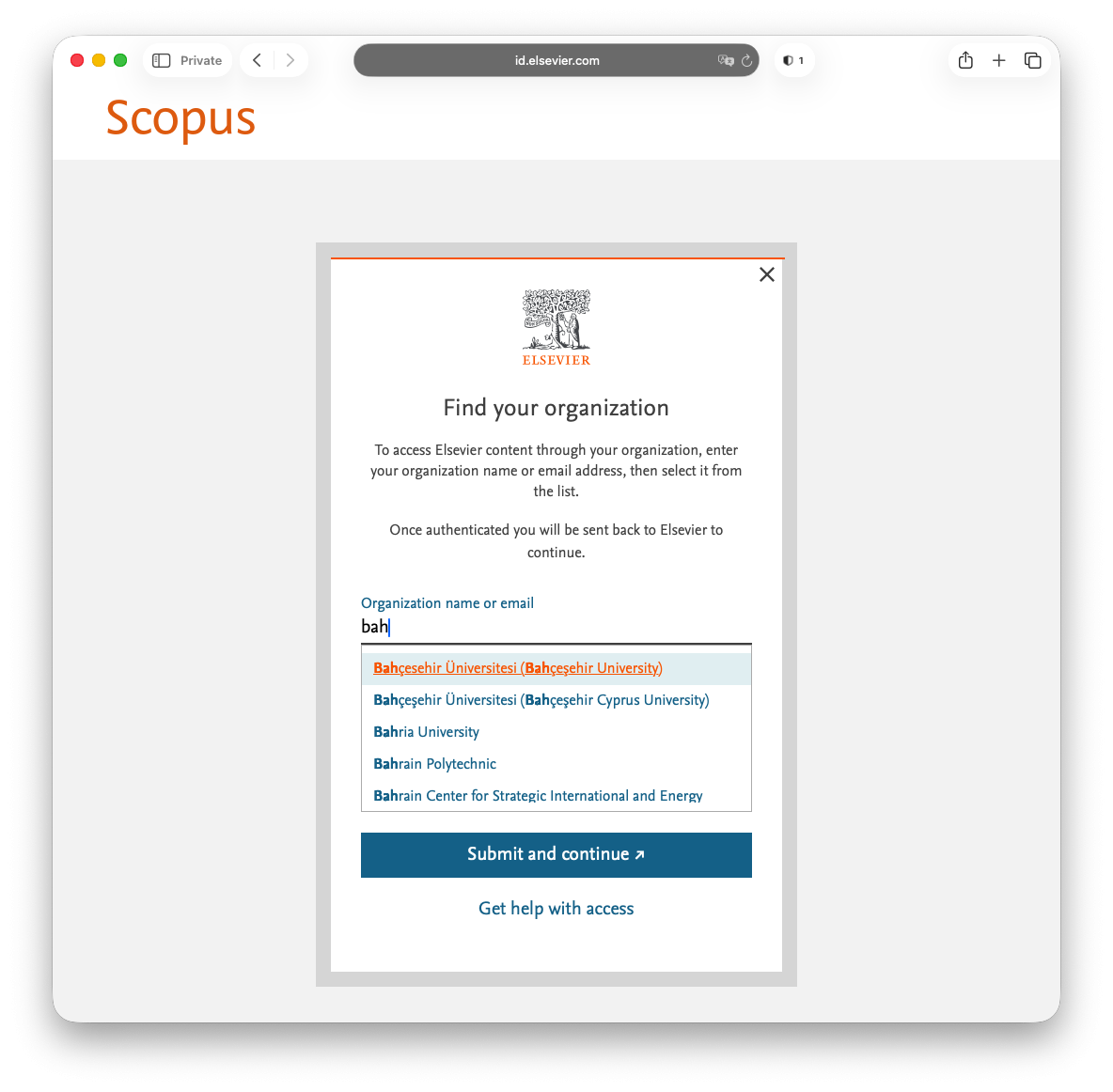](https://libguides.berlin-international.de/uploads/images/gallery/2026-03/screenshot-2026-03-09-at-10-36-08.png) **Step 3:** Next select **BAU - STU LDAP (AD)** from the first drop-down menu followed by your UMIS credentials.Faculty / staff should use their network credentials instead of UMIS credentials here.
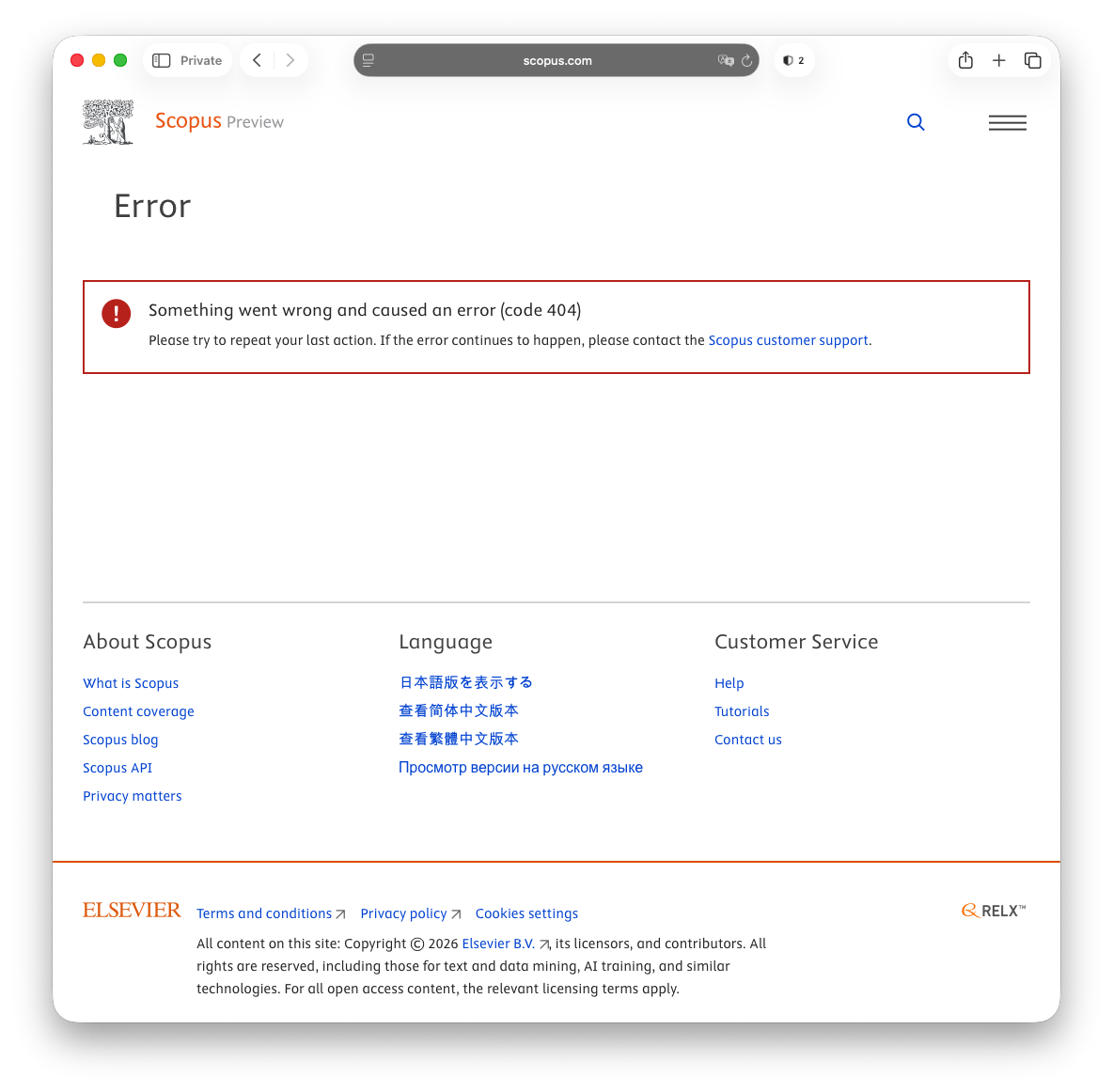
[](https://libguides.berlin-international.de/uploads/images/gallery/2026-03/screenshot-2026-03-09-at-10-36-19.png) **Step 4** [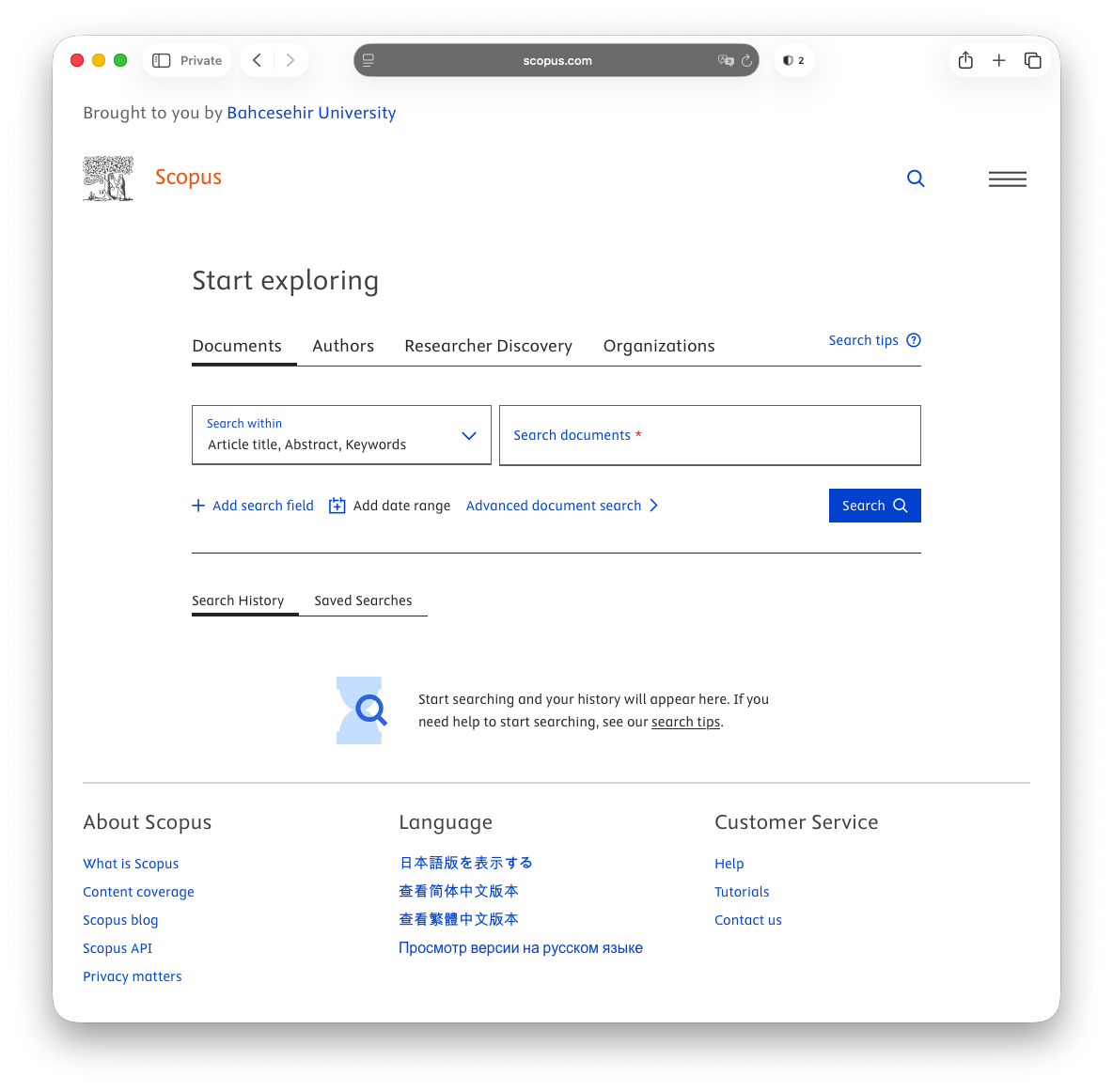](https://libguides.berlin-international.de/uploads/images/gallery/2026-03/screenshot-2026-03-09-at-10-36-55.png)If you see the error screen below, simply click on the Scopus Preview logo in the top left corner of the screen and you will be redirected to the screen above.
[](https://libguides.berlin-international.de/uploads/images/gallery/2026-03/screenshot-2026-03-09-at-10-36-46.png) ### Example: Web of Science **Step 1:** The link to Web of Science from the [Research Database Index](https://library.berlin-international.de/cgi-bin/koha/opac-page.pl?page_id=24) should take you to the page below. [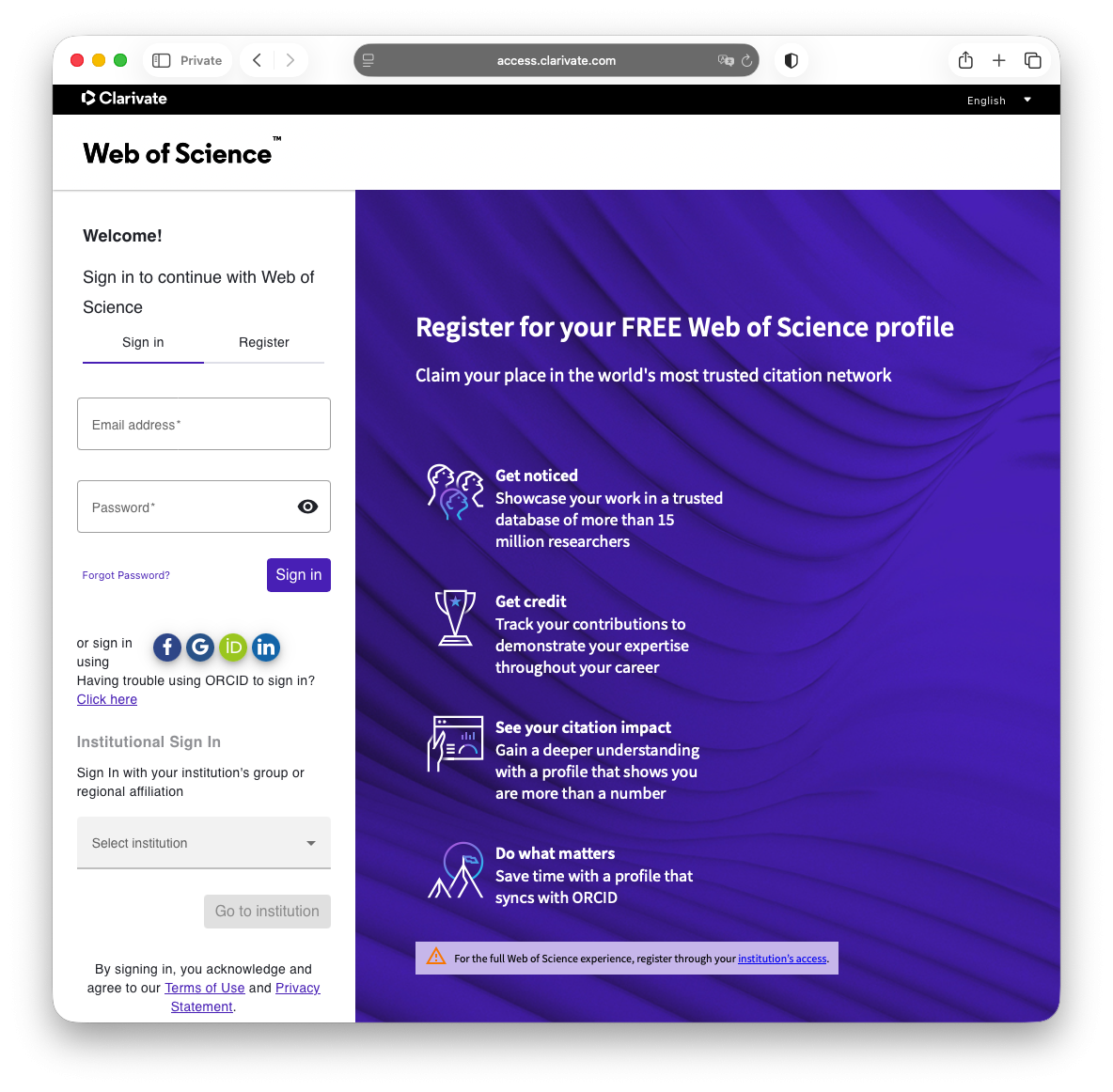](https://libguides.berlin-international.de/uploads/images/gallery/2026-03/screenshot-2026-03-09-at-11-00-47.png) **Step 2:** Under *Institutional Sign In*, select **OpenAthens Federation**. [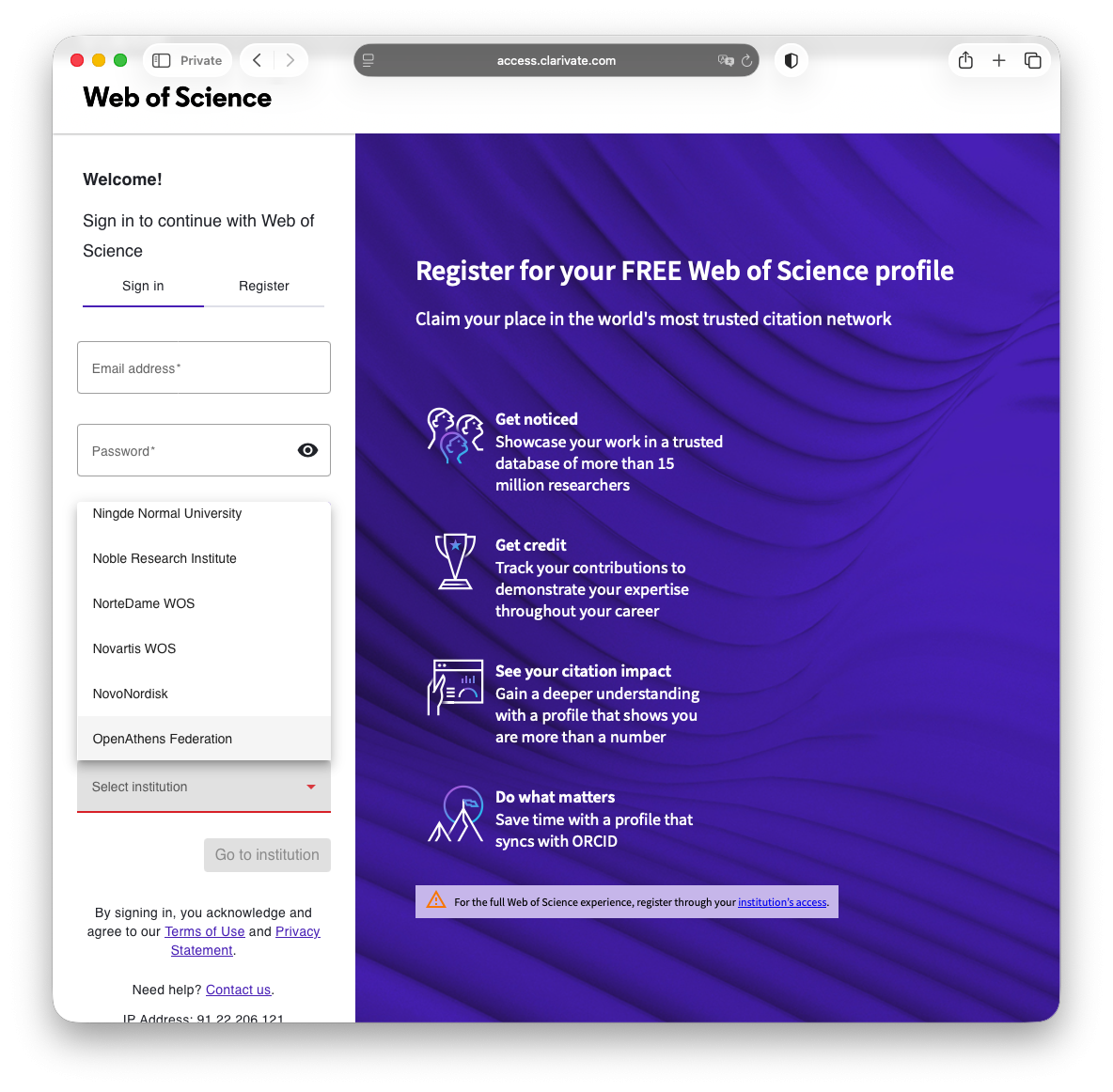](https://libguides.berlin-international.de/uploads/images/gallery/2026-03/screenshot-2026-03-09-at-11-01-12.png) **Step 3** [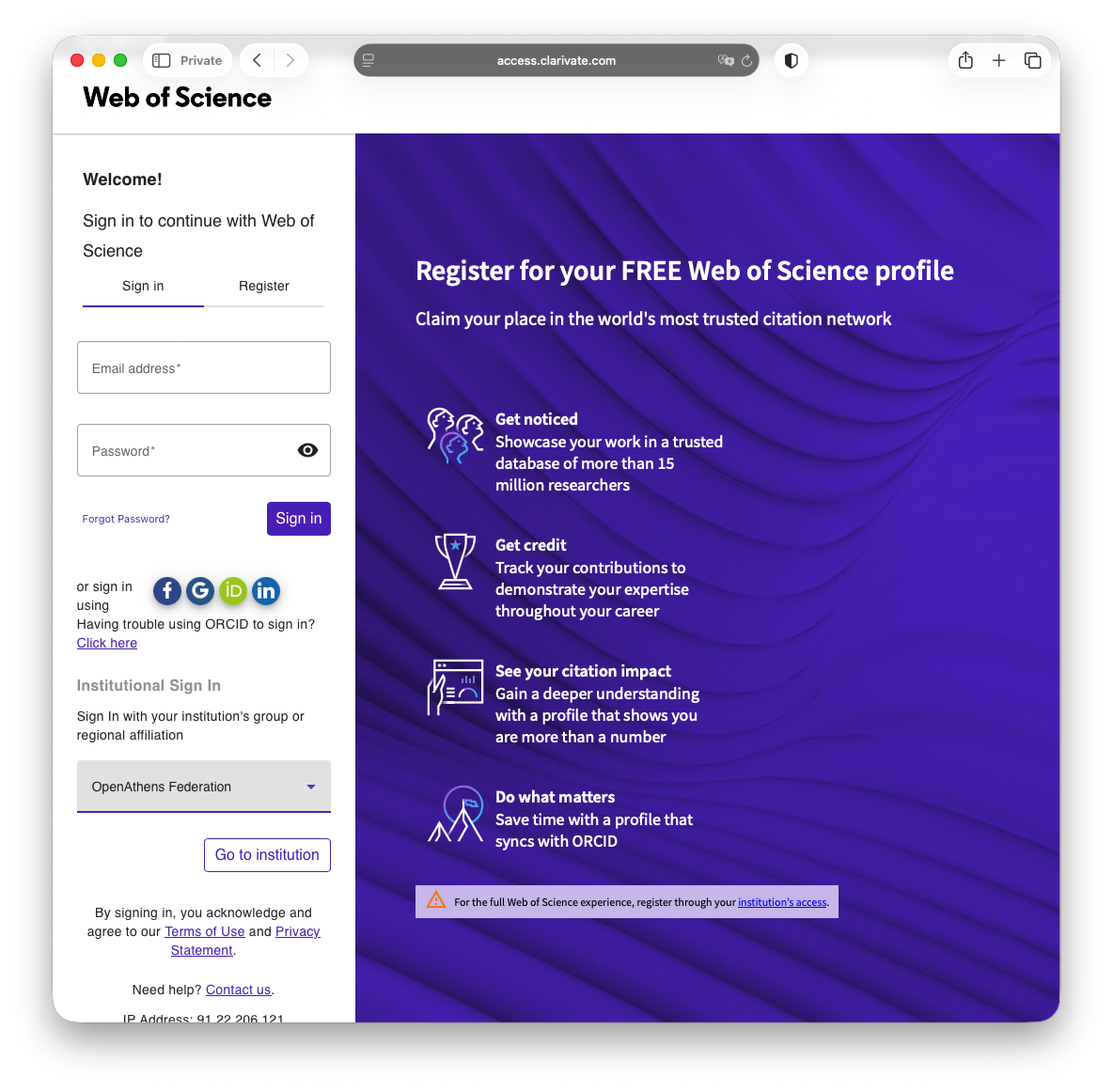](https://libguides.berlin-international.de/uploads/images/gallery/2026-03/screenshot-2026-03-09-at-11-01-19.png) **Step 4:** From here, select **Bahçesehir Üniversitesi**. [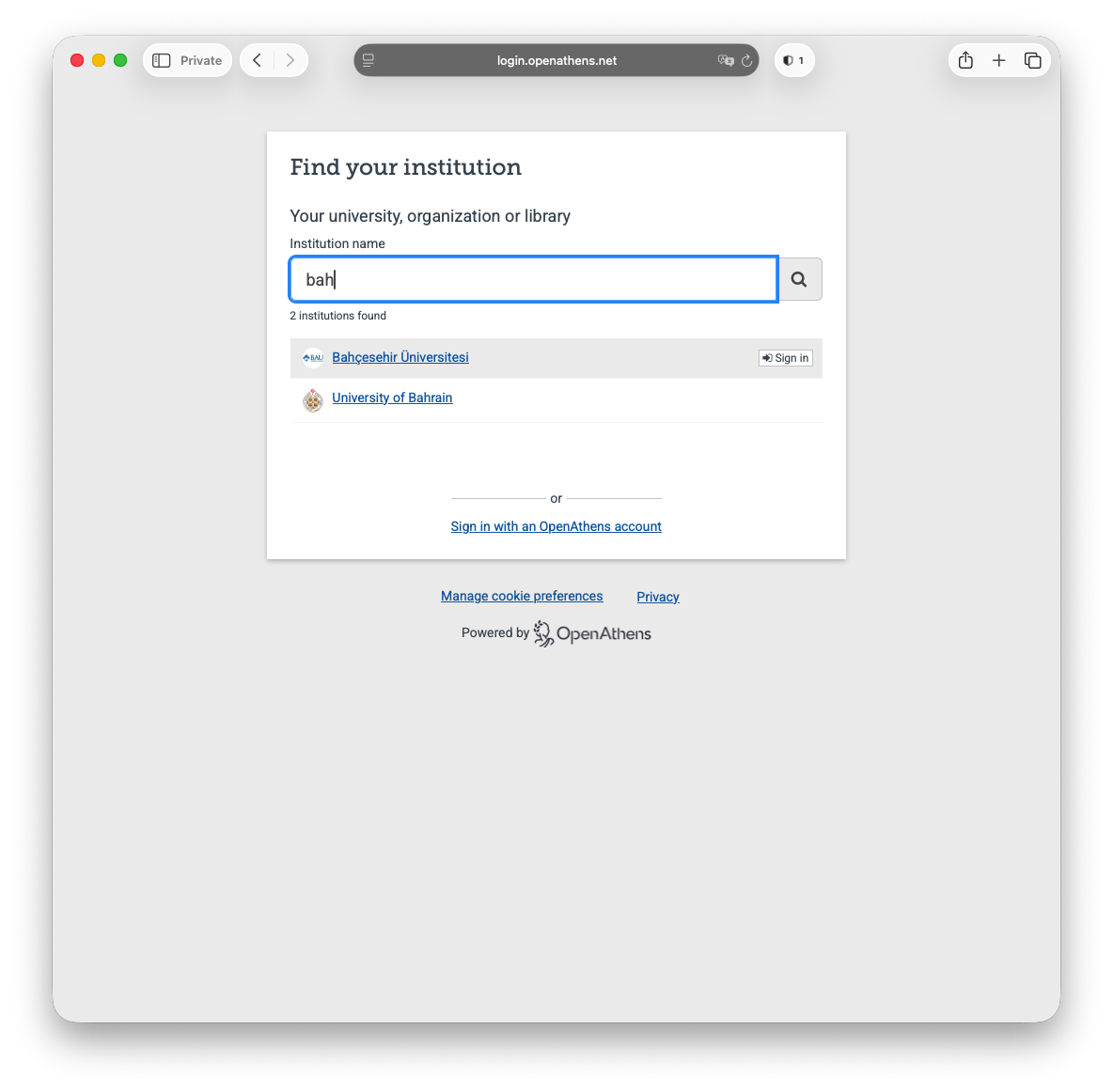](https://libguides.berlin-international.de/uploads/images/gallery/2026-03/screenshot-2026-03-09-at-11-01-30.png) **Step 5**: Next select **BAU - STU LDAP (AD)** from the first drop-down menu followed by your UMIS credentials.Faculty / staff should use their network credentials instead of UMIS credentials here.
[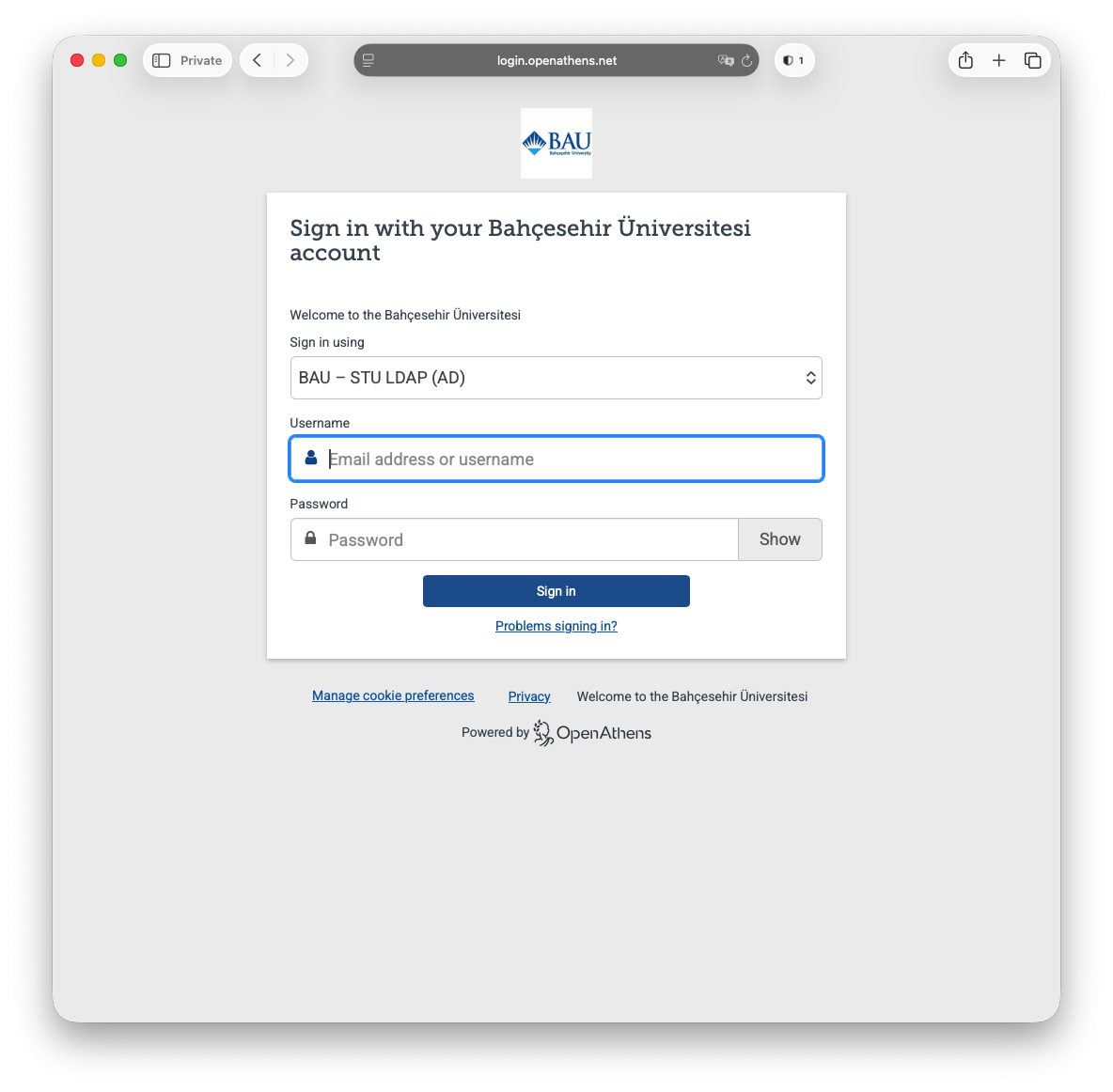](https://libguides.berlin-international.de/uploads/images/gallery/2026-03/screenshot-2026-03-09-at-11-01-42.png) **Step 6** [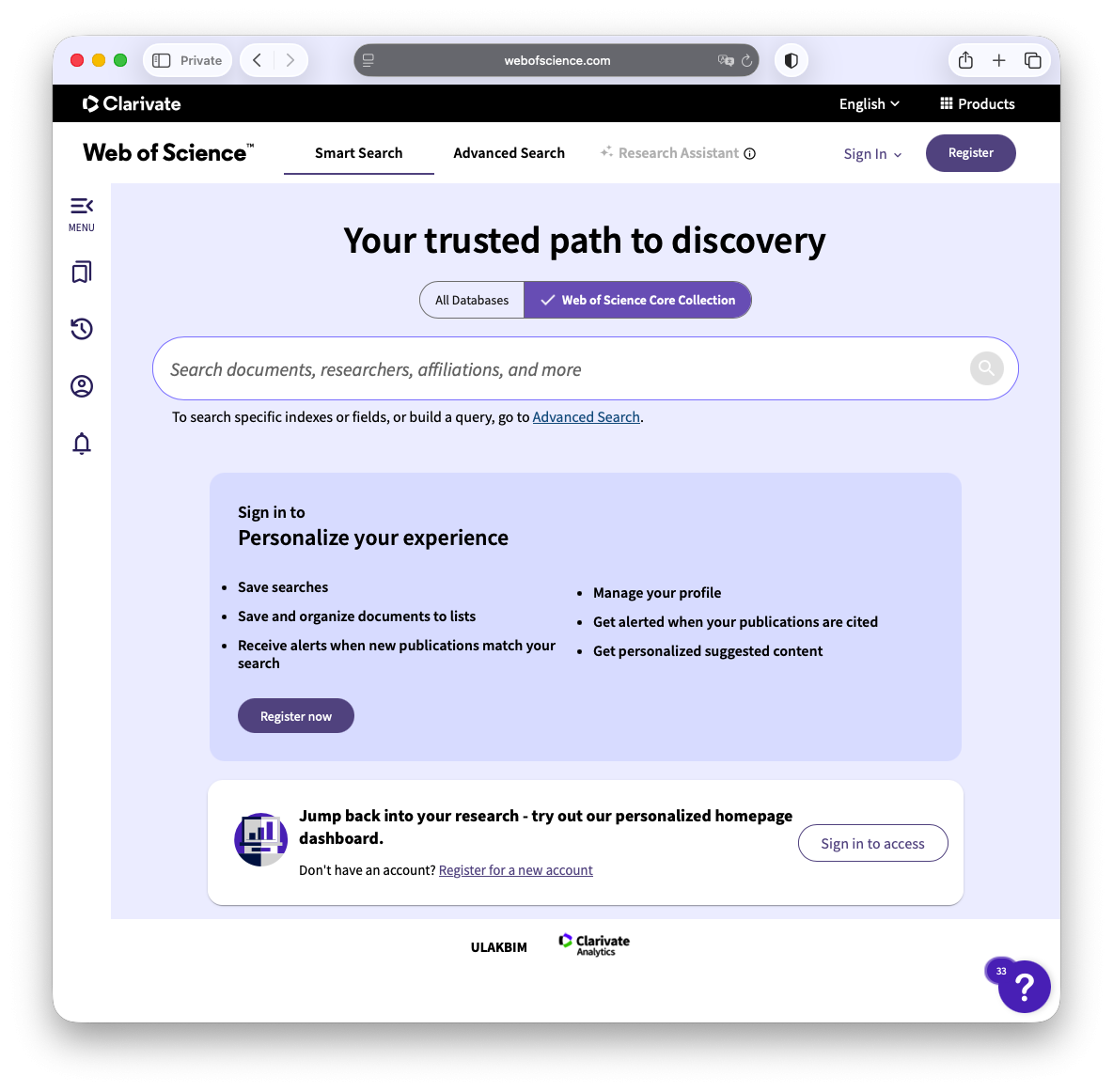](https://libguides.berlin-international.de/uploads/images/gallery/2026-03/screenshot-2026-03-09-at-11-02-01.png)