# How to borrow / renew books

# General borrowing policies

## Number of borrowed books and loan period

- You can borrow up to six books (students) or 12 books (staff) at any given time.
- The loan period is two weeks (students) or four weeks (staff).
- Loans can be extended twice, totalling a maximum period of six weeks (students) or 12 weeks (staff).
- Extending loans is only possible if the book in question is not reserved by another user.

## Items excluded from borrowing\*

- Reference books; i.e. dictionaries, encyclopaedias and encyclopaedic publications
- Periodicals; i.e. journals, magazines, newspapers
- DVDs, BluRay, CDs
- Books containing DVDs, BluRay Discs, CDs
- BI theses
- Design materials

<p class="callout info">\*Exceptions can be made for faculty / staff members</p>

## Fines, suspensions, replacements

Fines for not returning or renewing items by their due date are as follows:

<table border="1" id="bkmrk-1st-overdue-notice-o" style="border-collapse: collapse; width: 100%;"><tbody><tr><td style="width: 33.2909%;">1st overdue notice</td><td style="width: 33.2909%;">One day after due date</td><td style="width: 33.2948%;">0.25€ per item / day</td></tr><tr><td style="width: 33.2909%;">2nd overdue notice</td><td style="width: 33.2909%;">Seven days after due date</td><td style="width: 33.2948%;">-</td></tr><tr><td style="width: 33.2909%;">3rd overdue notice</td><td style="width: 33.2909%;">Fourteen days after due date</td><td style="width: 33.2948%;">Account / borrowing privileges restricted</td></tr></tbody></table>

Suspension of borrowing privileges occurs if an item is not returned with 14 days past its due date. Borrowing rights can be restored after the return of items payment of fines.

### Refund / replacement:

Please see librarian for refund or in case of lost items.

# How to create a user account

To borrow books from the library, you need a valid library user account.

#### Creating a New Library Account

Creating a new user account is easy. Just log in once with your *BI email and password* to the [library's catalog (OPAC](https://library.berlin-international.de/cgi-bin/koha/opac-user.pl)).

#### Forgot Your Password?

As of August 2024, it is no longer necessary to register a separate library account. [You can now use your BI email credentials to create and log in to your library account.](https://libguides.berlin-international.de/books/how-to-borrow-renew-books/page/how-to-create-a-user-account "How to create a user account")

If you created an account prior to August 2024 and would like to change the password, please [contact](https://libguides.berlin-international.de/link/17#bkmrk-contact) the library.

[![Screenshot 2022-02-28 at 11.36.25.png](https://libguides.berlin-international.de/uploads/images/gallery/2022-02/scaled-1680-/screenshot-2022-02-28-at-11-36-25.png)](https://libguides.berlin-international.de/uploads/images/gallery/2022-02/screenshot-2022-02-28-at-11-36-25.png)

# How to reset user password

As of August 2024, it is no longer necessary to register a separate library account. [You can now use your BI email credentials to create and log in to your library account.](https://libguides.berlin-international.de/books/how-to-borrow-renew-books/page/how-to-create-a-user-account "How to create a user account")

If you created an account prior to August 2024 and would like to change the password, please [contact](https://libguides.berlin-international.de/link/17#bkmrk-contact) the library.

# How to renew books

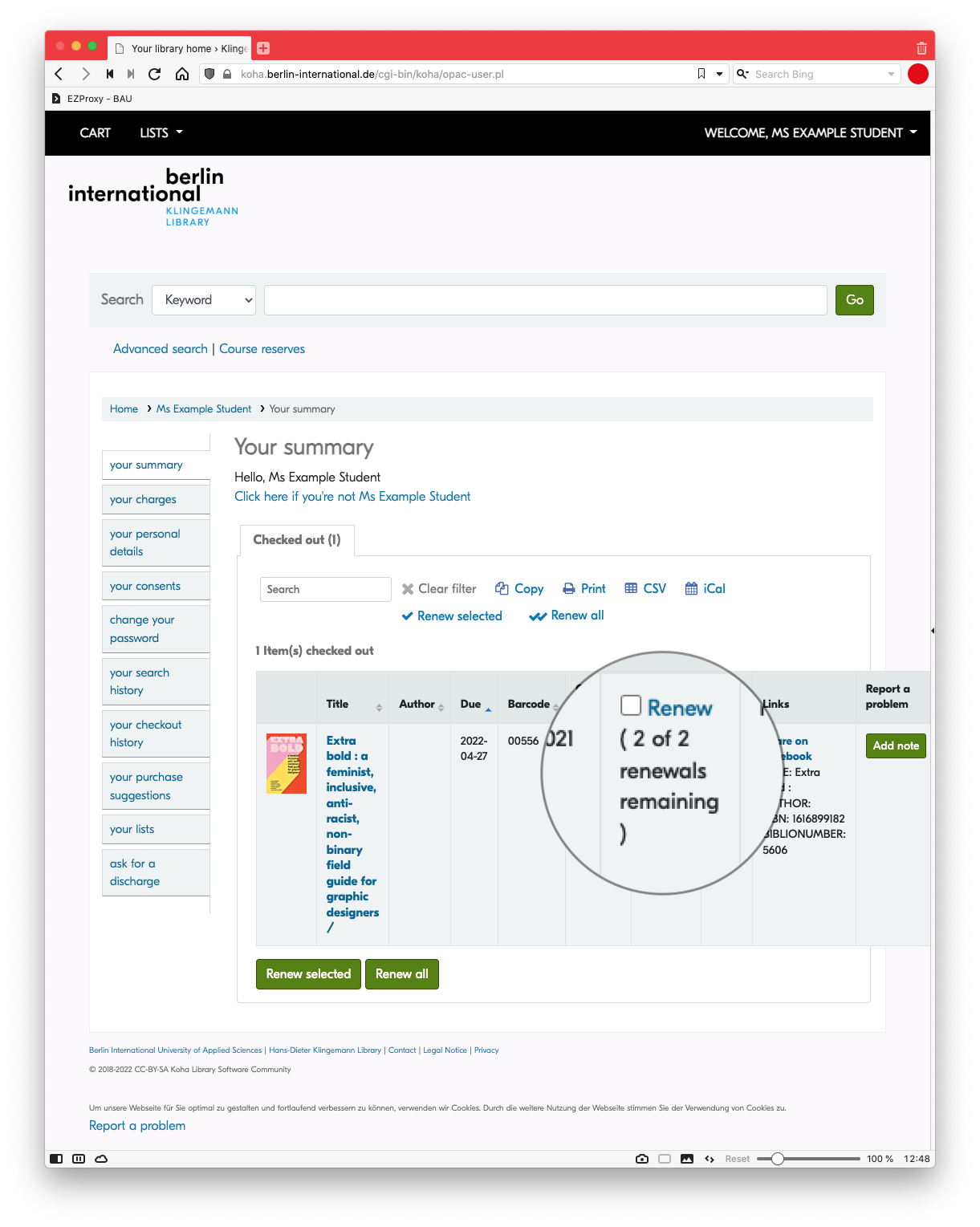
Books can be renewed up to two times. To renew a book, contact the library, or follow the steps below.

### Log into your account

[![Screenshot 2022-04-26 at 12.46.25.png](https://libguides.berlin-international.de/uploads/images/gallery/2022-04/scaled-1680-/screenshot-2022-04-26-at-12-46-25.png)](https://libguides.berlin-international.de/uploads/images/gallery/2022-04/screenshot-2022-04-26-at-12-46-25.png)

### Select **Renew** under **Your Summary**

<p class="callout warning">**Please note: Items may only be renewed within three days of their due date, and only if the item is not on hold for someone else.**</p>

**[![Screenshot 2022-04-26 at 12.48.48.png](https://libguides.berlin-international.de/uploads/images/gallery/2022-04/scaled-1680-/screenshot-2022-04-26-at-12-48-48.png)](https://libguides.berlin-international.de/uploads/images/gallery/2022-04/screenshot-2022-04-26-at-12-48-48.png)**

# How to search the library's catalogue (OPAC)

Our online catalogue ([OPAC](https://koha.berlin-international.de/)) contains all of our holdings, including:

- books
- monographic series
- periodicals
- theses (including link to full-text)
- audio / visual media

## Simple Search

[![](https://libguides.berlin-international.de/uploads/images/gallery/2022-02/scaled-1680-/simple-search.png)](https://libguides.berlin-international.de/uploads/images/gallery/2022-02/simple-search.png)
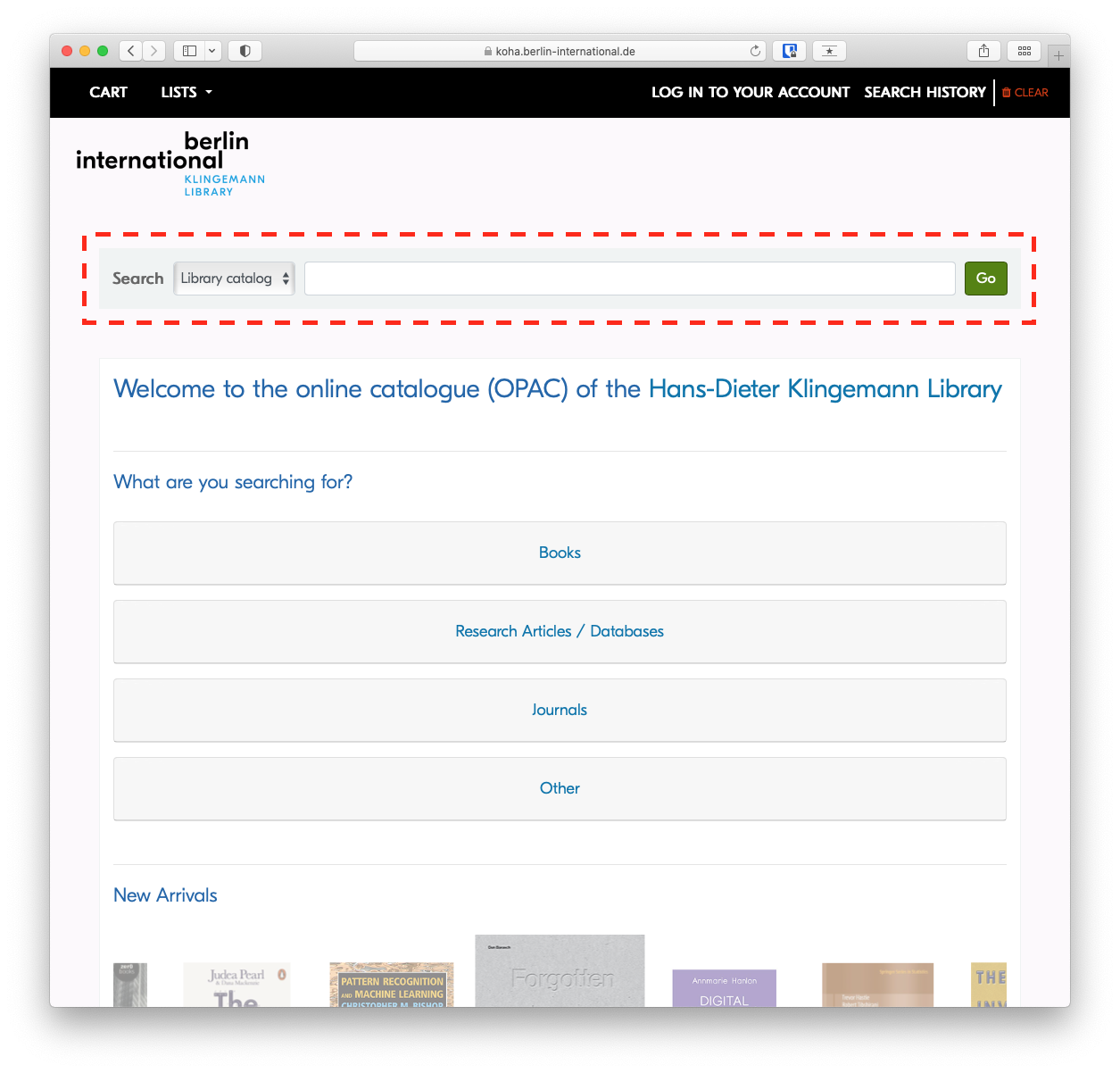
To perform a keyword search, simply type your search in the search field and press enter.

## Advanced Search

The [Advanced Search](https://koha.berlin-international.de/cgi-bin/koha/opac-search.pl) will allow you to narrow or broaden your search as needed, based on expanded criteria.

[![](https://libguides.berlin-international.de/uploads/images/gallery/2022-02/scaled-1680-/advanced-search.png)](https://libguides.berlin-international.de/uploads/images/gallery/2022-02/advanced-search.png)
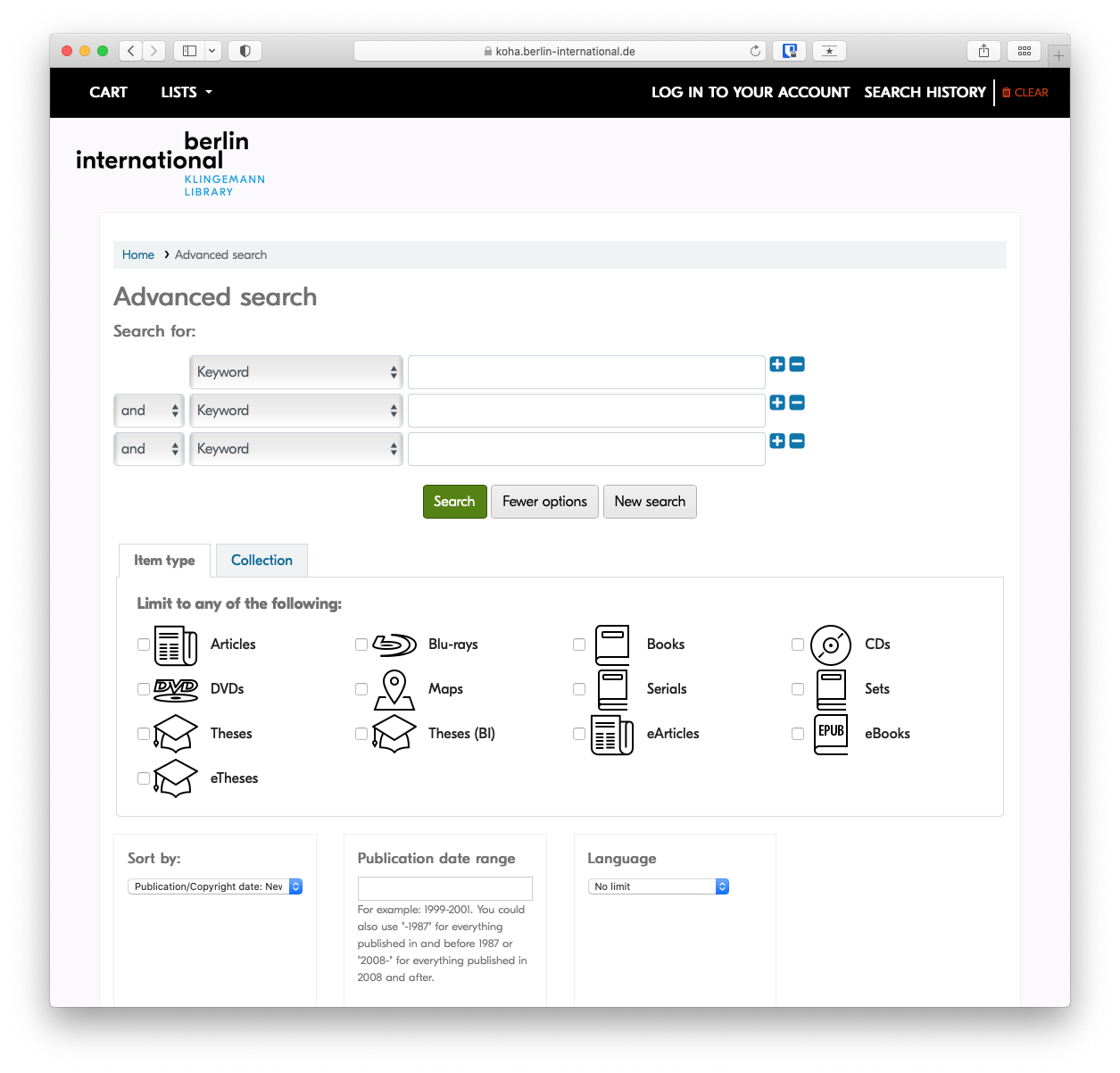
### Search in specific fields

<p class="callout info">If you're interested in learning more, see the article on [advanced search techniques](https://libguides.berlin-international.de/books/the-research-process/page/advanced-search-techniques)</p>

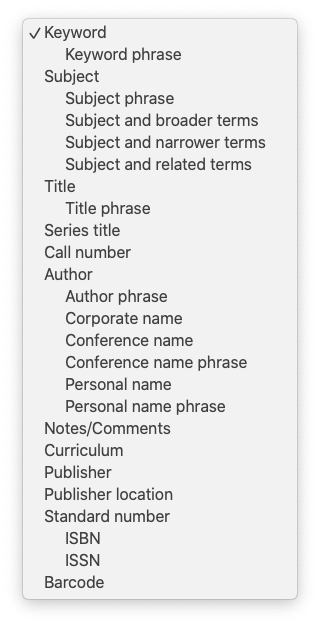
#### [![opac-search-fields.png](https://libguides.berlin-international.de/uploads/images/gallery/2022-03/scaled-1680-/opac-search-fields.png)](https://libguides.berlin-international.de/uploads/images/gallery/2022-03/opac-search-fields.png)

While Keyword is the default search, there are many additional fields that can be searched specifically by selecting them from the drop-down menu. The most relevant are *Title*, *Author* and *Subject*.

#### Subject

Subject headings are important because you can use them to find similar information more efficiently. Once you've found a record of interest, you may want to note the assigned subject headings to find similar items.

[![subject-headings-opac.png](https://libguides.berlin-international.de/uploads/images/gallery/2022-03/scaled-1680-/subject-headings-opac.png)](https://libguides.berlin-international.de/uploads/images/gallery/2022-03/subject-headings-opac.png)
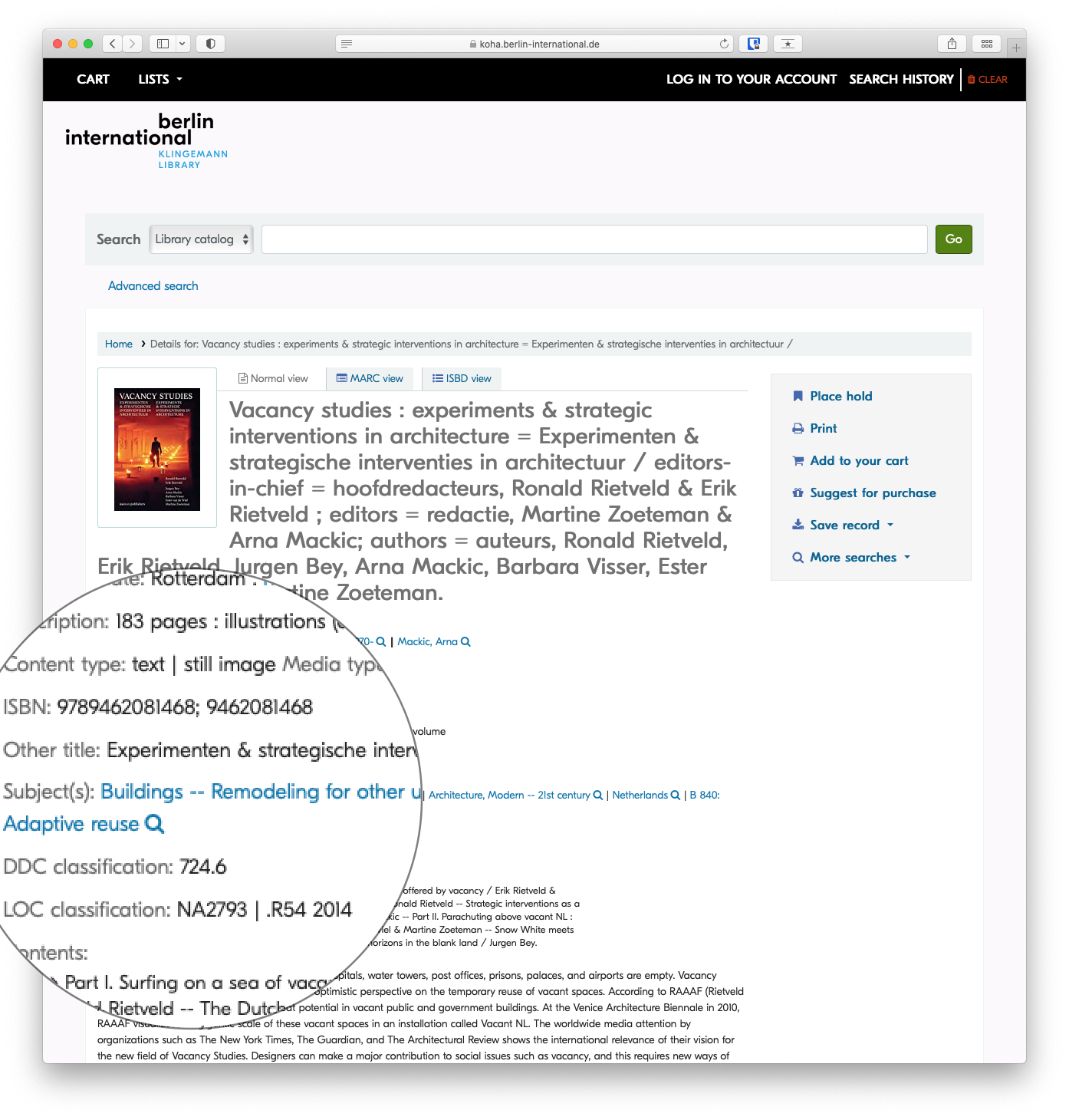
<details id="bkmrk-more-on-subject-head"><summary>More on Subject Headings</summary>

A subject heading is a specific word or phrase used to find and organise books and articles by topic. **Subject headings can be a great way to easily find things related directly to your topic.** Once you have identified a book or article that is worthwhile, look at the subject headings. In the online catalogue these are found in the *catalog record* and you can click directly on the subject heading to get a list of books on the same subject.

<p class="callout info">Subject headings are different from keywords in that they are specific terms assigned to a subject by a subject analyst or the author.</p>

In the library catalogue and many databases, an items's subject(s) will be a link, so that you can click on the subject heading to find similar items. You also might want to note the exact words to search them as a keyword later.

</details>### Combine search fields

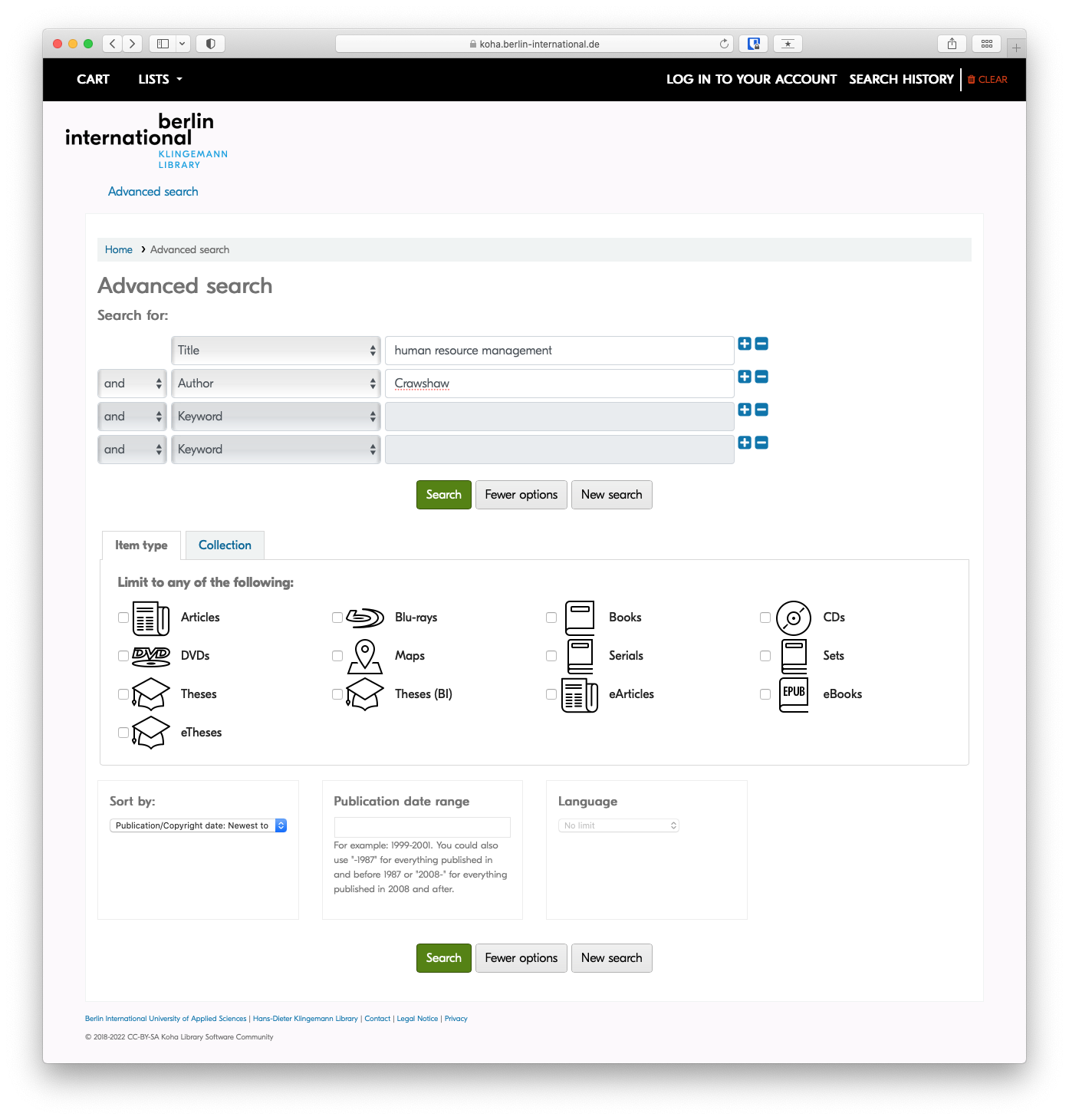
Sometimes searching in a specific field still returns too many results when you're looking for something specific. IN those cases, it is helpful to combine two or more search fields using AND, OR , or NOT form the drop-down menus to the left of the search field.

<p class="callout info">Example: A title search for 'human resource management' may return dozens of results, but when combined with an author search, as in the screenshot below, only items with 'human resource management' in the title AND 'Crawshaw' as an author will be returned. </p>

[![combining-search-fields.png](https://libguides.berlin-international.de/uploads/images/gallery/2022-03/scaled-1680-/combining-search-fields.png)](https://libguides.berlin-international.de/uploads/images/gallery/2022-03/combining-search-fields.png)

### Results

#### Refine your search

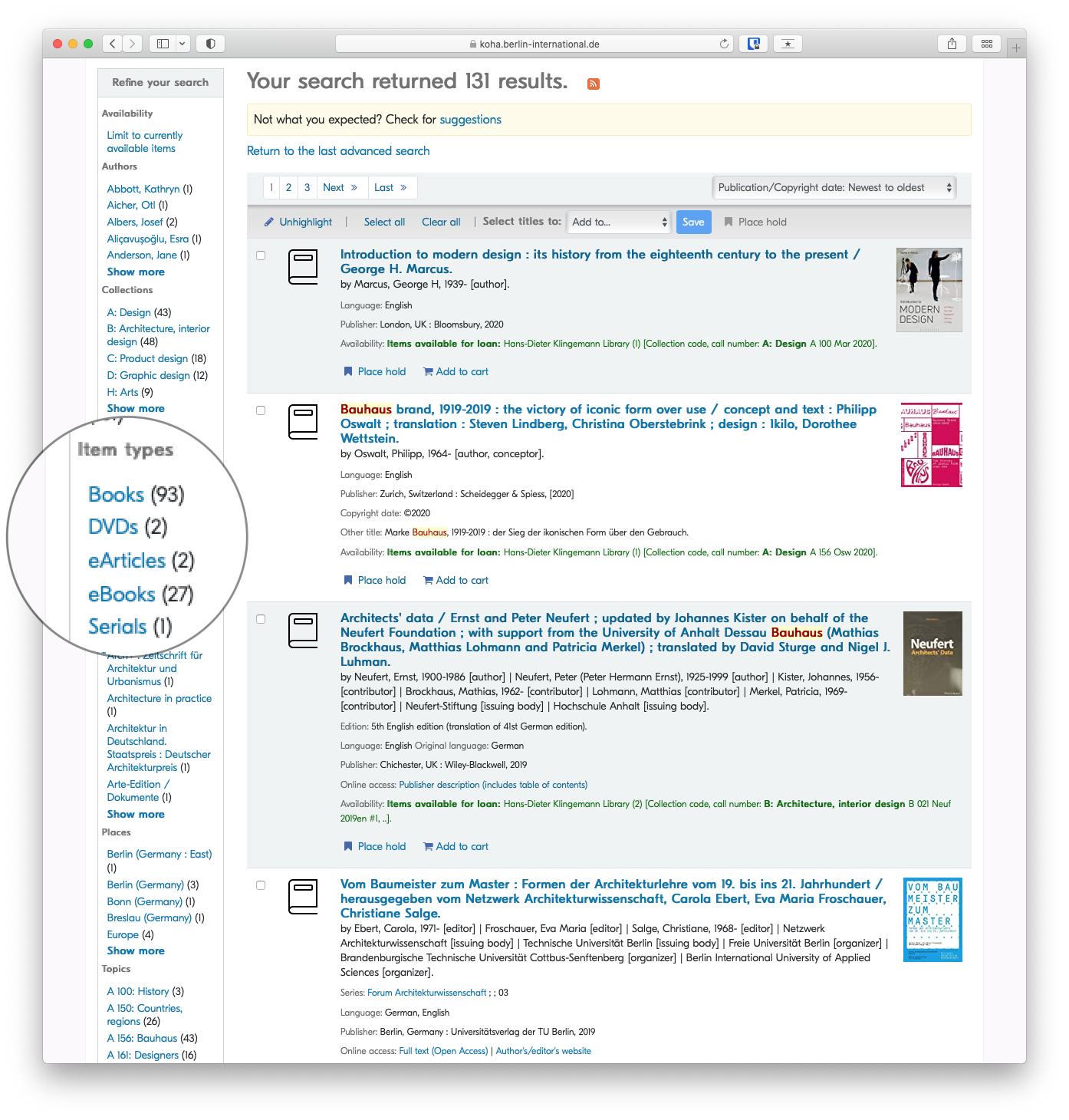
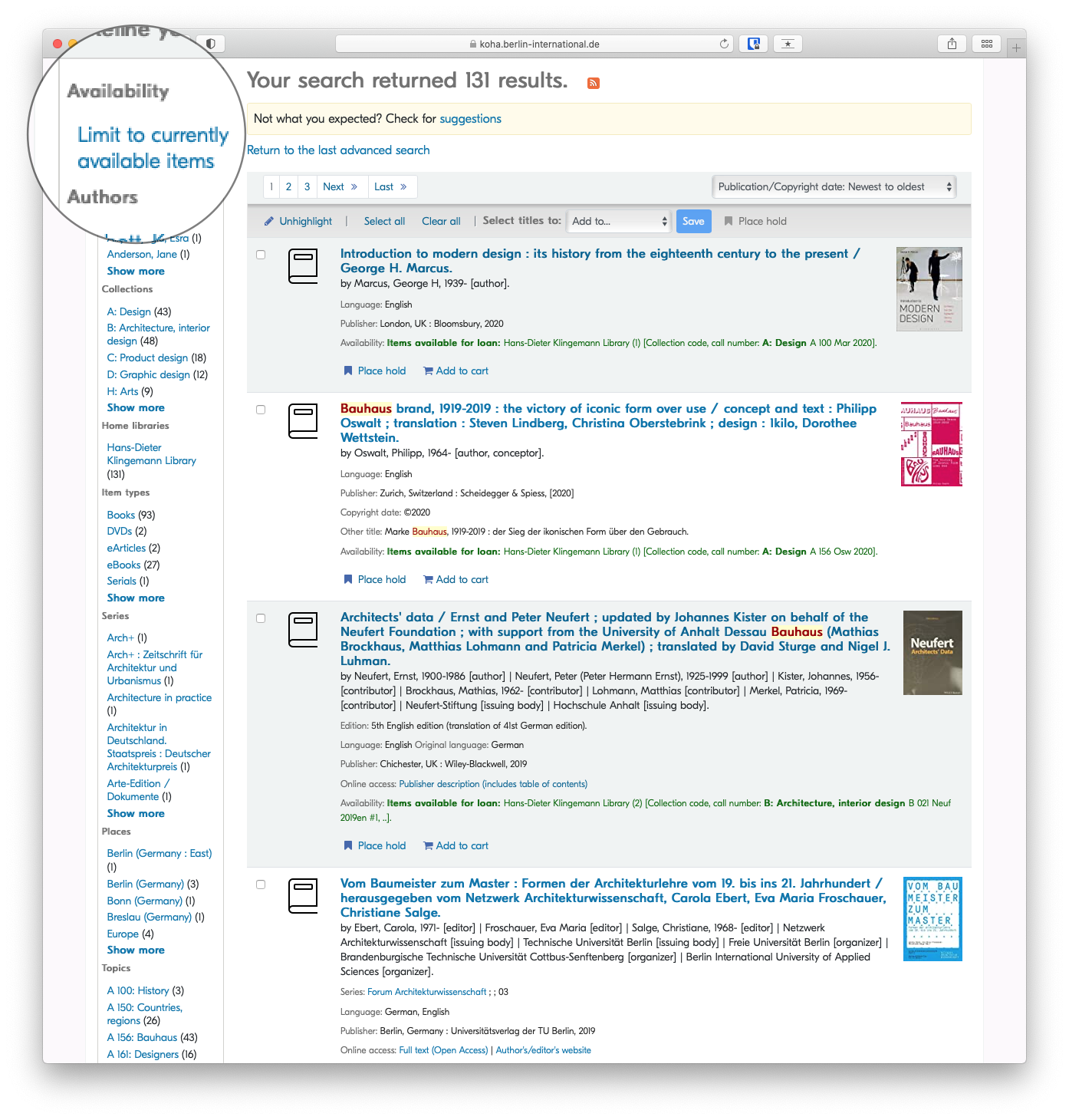
Once your search has returned results, you can narrow those results, or refine your search based on varied criteria, eg *author*, *availability*, *item type* or *topic*.

##### By Availability

[![refine-your-search-availability.png](https://libguides.berlin-international.de/uploads/images/gallery/2022-03/scaled-1680-/refine-your-search-availability.png)](https://libguides.berlin-international.de/uploads/images/gallery/2022-03/refine-your-search-availability.png)
##### By Item Type

[![refine-your-search-item.png](https://libguides.berlin-international.de/uploads/images/gallery/2022-03/scaled-1680-/refine-your-search-item.png)](https://libguides.berlin-international.de/uploads/images/gallery/2022-03/refine-your-search-item.png)