Advantage: Full-text is immediately available to view / download.
Disadvantage: Only searches the journals available in the database being searched.
--- ## Academic Search Engines Using an academic search engine is a convenient way to search across many databases and journals at once, and while academic search engines sometimes link directly to full-texts (especially [Open Access](https://libguides.berlin-international.de/books/research-skills/page/open-access-oa) materials), you will often need to find the full-text using a [research database](https://libguides.berlin-international.de/link/28#bkmrk-databases) once you have the citation.Advantage: The ability to search thousands of journals at once.
Disadvantage: Doesn't always offer full-text of citations.
#### [Google Scholar](https://scholar.google.com)| **Google Scholar Strengths** | **Google Scholar Weaknesses** |
| - Getting the “big picture” of the scholarly discourse around a topic. - Viewing books, articles, conference proceedings, and more in one list. - Determining authors and publications in an area of interest. - Tracking down incomplete citations. | - Limiting and sorting results by type (eg. peer reviewed articles, full-text, reviews). - Searching within a specific discipline - Browsing by journal title. - Doing a comprehensive search for a literature review. - Using controlled vocabulary to search by subject. - Emailing lists of search results. |
After finding a citation with an academic search engine or via the bibliography of an already acquired source, it's time to find the full-text.
#### Option 1: Search [EZB](https://libguides.berlin-international.de/books/journals-journal-articles/page/ezb-browse-all-journals) to see if BI has access to the journal #### Option 2: Search the [BAU Discovery System](https://proxy.bau.edu.tr:4294/#!/) to see if the journal is available from BAU #### Option 3: Use the [BAU EZProxy Bookmarklet](https://libguides.berlin-international.de/books/journals-journal-articles/page/bau-ezproxy-bookmarklet) to immediately see if full-text is available via BAU --- ## Discovery Systems (Combined Search) Discovery systems try to combine the two search methods described below by searching across many databases at once AND providing full-text access. Barbaros Library provides a discovery system that can be used to search most of their collections at once. [Click here for more information.](https://libguides.berlin-international.de/link/5#bkmrk-searching-all-bau-ho)Advantage: Searches many databases at once and provides access to full-text.
Disadvantage: Only searches the collections of one institution and cannot be integrated with all databases.
1 Source: Wikipedia # BI Holdings: Journals and Databases Search or browse thousands of journals available to BI students and faculty. # Research Database Index - Browse all BI databases The [Research Database Index](https://library.berlin-international.de/cgi-bin/koha/opac-page.pl?page_id=24) is an index of all research databases available to the Bi community. Students and faculty at BI have access to hundreds of research databases from several different sources. [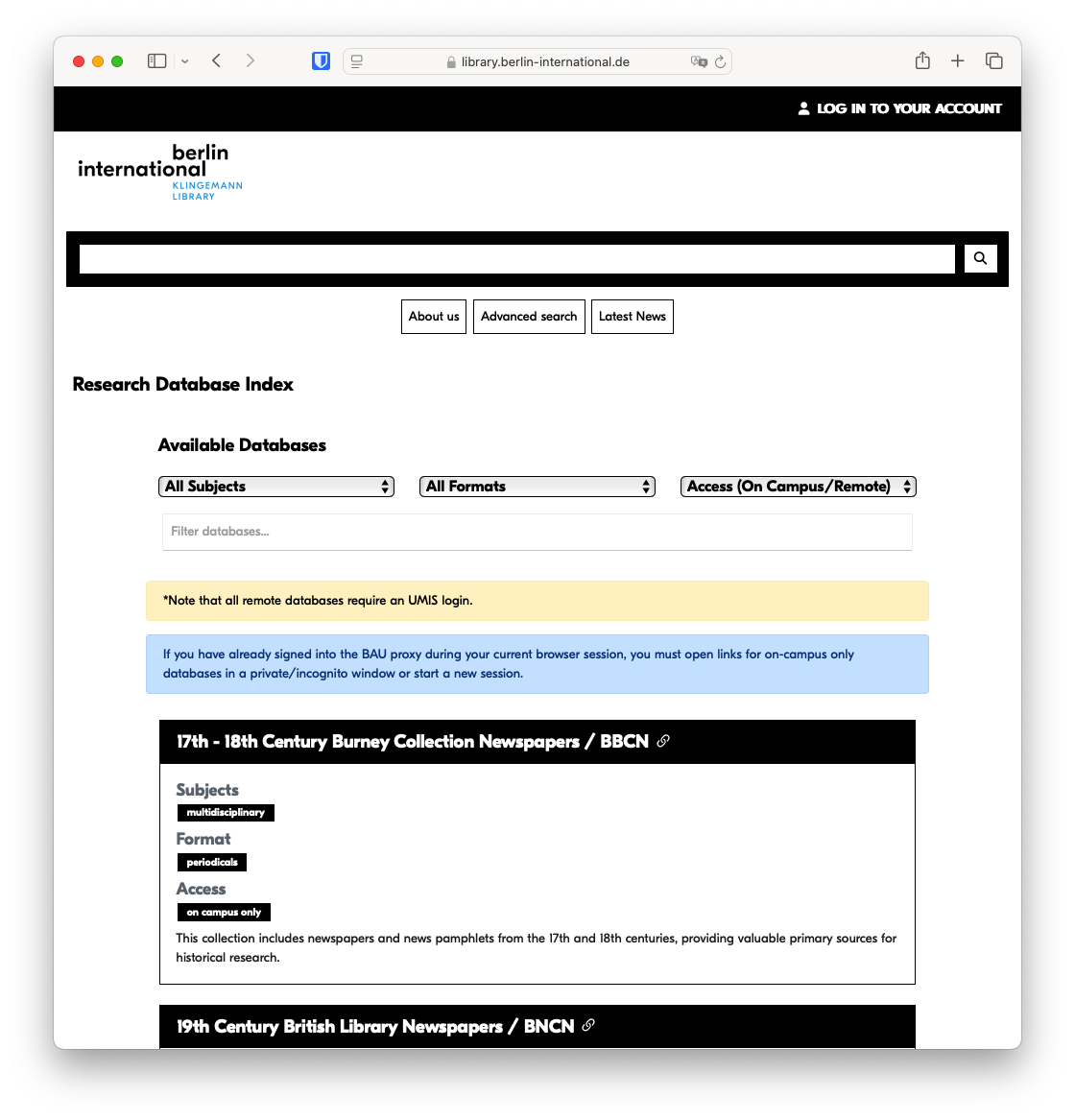](https://dbis.uni-regensburg.de/dbinfo/fachliste.php?bib_id=biuas&colors=7&ocolors=40&lett=l) # EZB - Browse all BI journals| [](https://ezb.uni-regensburg.de/index.phtml?bibid=BIUAS&colors=3&lang=en) | The [EZB (*Elektronische Zeitschriftenbibliothek*)](https://ezb.uni-regensburg.de/index.phtml?bibid=BIUAS&colors=3&lang=en) is a service to facilitate the use of scholarly journals on the Internet. It offers a fast, structured and unified interface to access full-text articles online. |
BAU databases are indexed in the [Research Database Index](https://library.berlin-international.de/cgi-bin/koha/opac-page.pl?page_id=24).
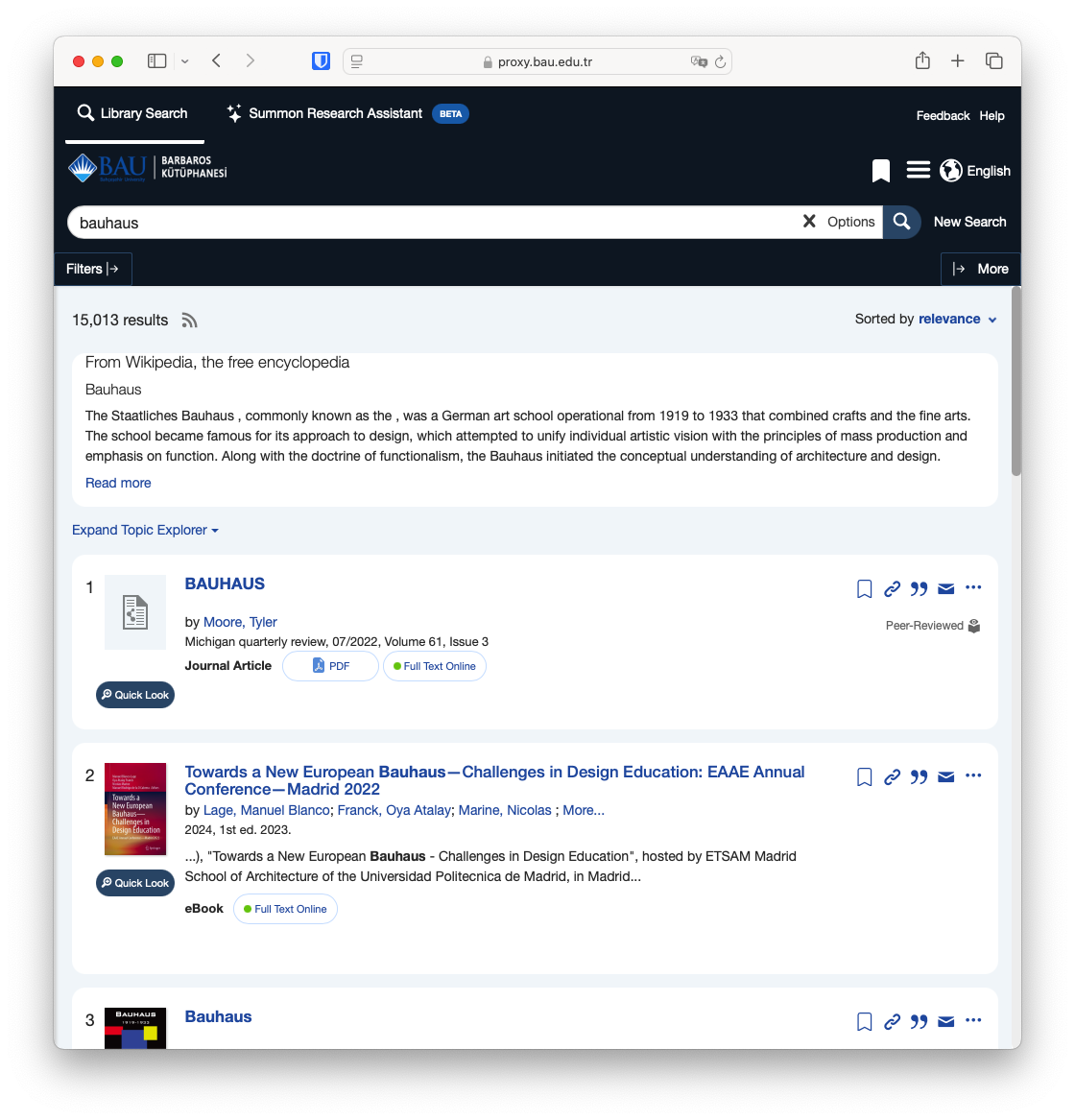
## Searching all BAU holdings at once with a discovery system When searching [BAU databases](https://library.bahcesehir.edu.tr/veritabanlari "https://library.bahcesehir.edu.tr/en/kampus-disi-erisim/"), the best place to start is [BAU Academic Search](https://proxy.bau.edu.tr:4294/#!/) (discovery system). This portal allows you to search the contents of all BAU databases1 at once, plus the eBook collections of BAU Libraries.Don't forget: to access BAU databases, you will need your BI UMIS credentials.
[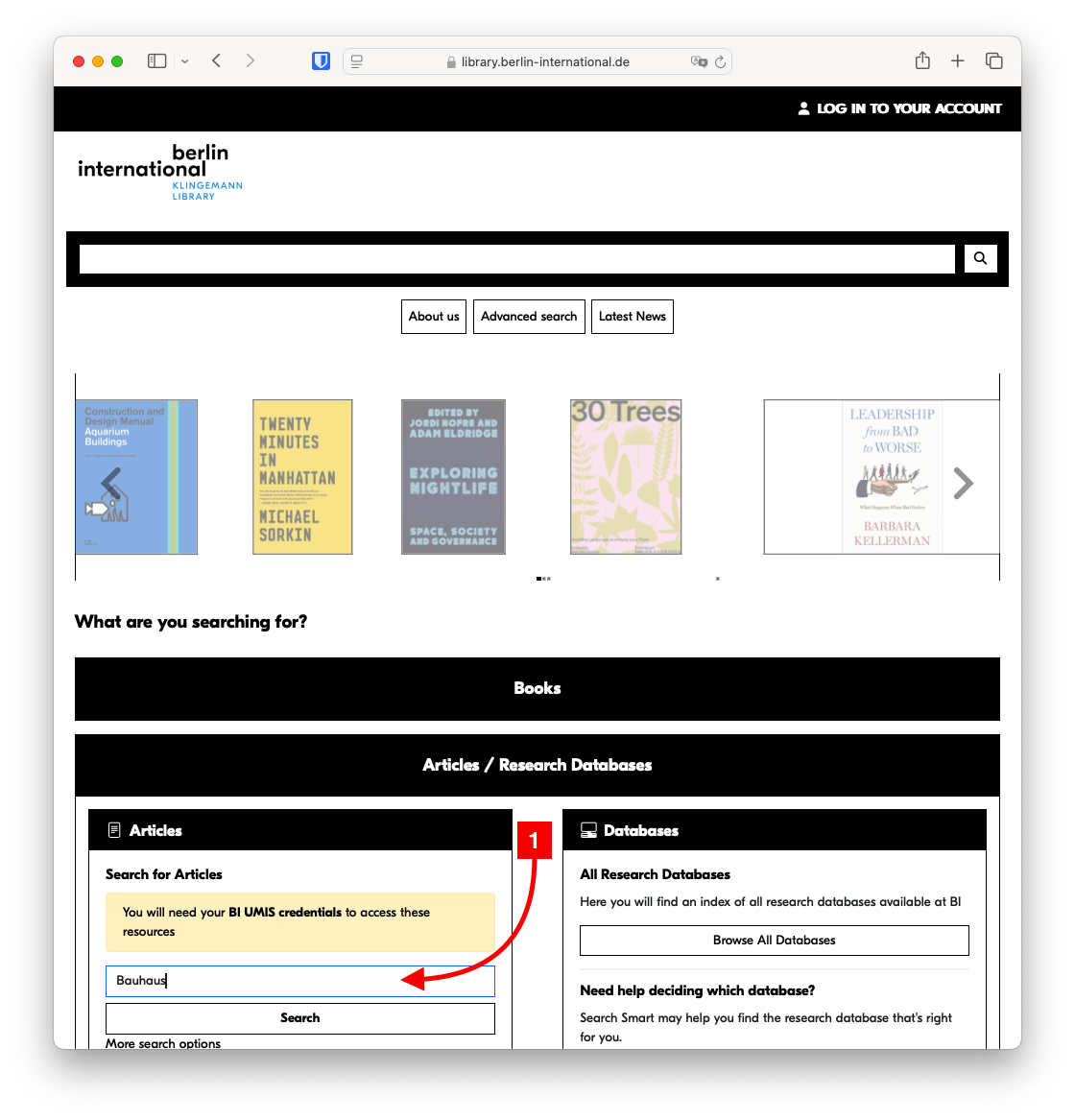](https://libguides.berlin-international.de/uploads/images/gallery/2022-02/screen-shot-2022-01-21-at-12-08-51.png)At this point, if you have not already signed into the BAU Proxy during your current session, you must log in with your UMIS credentials.
[](https://libguides.berlin-international.de/uploads/images/gallery/2022-02/screen-shot-2022-01-21-at-12-09-07.png) 1Well almost all... The following databases are not included in BAU Academic Search and must be searched individually: - [Beck eBibliothek](http://proxy.bau.edu.tr:2048/login?url=https://ebibliothek.beck.de/ "https://ebibliothek.beck.de/") - [Beck Online](http://proxy.bau.edu.tr:2048/login?url=https://beck-online.beck.de/ "https://beck-online.beck.de/") - [INCITES Essential Science Indicators (ESI)](http://proxy.bau.edu.tr:2048/login?url=http://esi.clarivate.com "http://esi.clarivate.com/") - [Hukuk Türk](http://proxy.bau.edu.tr:2048/login?url=https://www.hukukturk.com "https://www.hukukturk.com/") - [InCites](http://proxy.bau.edu.tr:2048/login?url=https://incites.clarivate.com "https://incites.clarivate.com/") - [Journal Citation Reports (Clarivate)](http://proxy.bau.edu.tr:2048/login?url=https://jcr.clarivate.com/ "https://jcr.clarivate.com/") - [Lexpera](http://proxy.bau.edu.tr:2048/login?url=https://www.lexpera.com.tr "https://www.lexpera.com.tr/") - [Oxford English Dictionary](http://proxy.bau.edu.tr:2048/login?url=http://www.oed.com/ "http://www.oed.com/") - [SciFinder](http://proxy.bau.edu.tr:2048/login?url=https://scifinder.cas.org/scifinder "https://scifinder.cas.org/scifinder") - [ProQuest Dissertation & Thesis ](http://proxy.bau.edu.tr:2048/login?url=https://search.proquest.com/pqdtglobal "https://search.proquest.com/pqdtglobal") - [SciVal](http://proxy.bau.edu.tr:2048/login?url=http://www.scival.com/ "http://www.scival.com/") - [Statista](http://proxy.bau.edu.tr:2048/login?url=https://www.statista.com "https://www.statista.com/") - [Swisslex](http://proxy.bau.edu.tr:2048/login?url=https://www.swisslex.ch "https://www.swisslex.ch/") - [UpToDate](http://proxy.bau.edu.tr:2048/login?url=https://login.recursosenlinea.juanncorpas.edu.co:2443/login?url=https://www.uptodate.com/contents/search?search=%7BSEARCHTERM%7D&x=0&y=0 "https://login.recursosenlinea.juanncorpas.edu.co:2443/login?url=https://www.uptodate.com/contents/search?search=%7bsearchterm%7d&x=0&y=0") # BAU EZProxy Bookmarklet**This bookmarklet no longer works.** As of July 2026, BAU has moved remote-database authentication from EZProxy to OpenAthens. The bookmarklet on this page prepends the old proxy address, which has been decommissioned; **using it will not sign you in.** Please remove it from your bookmarks bar. For current instructions, see [how to access research databases using OpenAthens](https://libguides.berlin-international.de/books/faqs/page/how-to-access-research-databases-using-openathens).
## How it works If you [search BAU databases directly](https://libguides.berlin-international.de/books/journals-journal-articles/page/bau-research-databases), you are asked to provide login credentials to gain 'proxied' access to resources. In cases where you go directly to a publisher's site without having logged in ("proxied"), you will not be recognised as having access. For these cases, the EZProxy Browser Bookmarklet will allow you to log in without first going back to the BAU web site. A bookmarklet is like a browser extension but more lightweight and can be used on any browser that supports bookmarks, including mobile browsers. Once added you will see **EZProxy - BAU** in your menu bar. Click on **EZProxy - BAU** and the proxy prefix is added to the URL and the work, if BAU has access, will be accessible. *[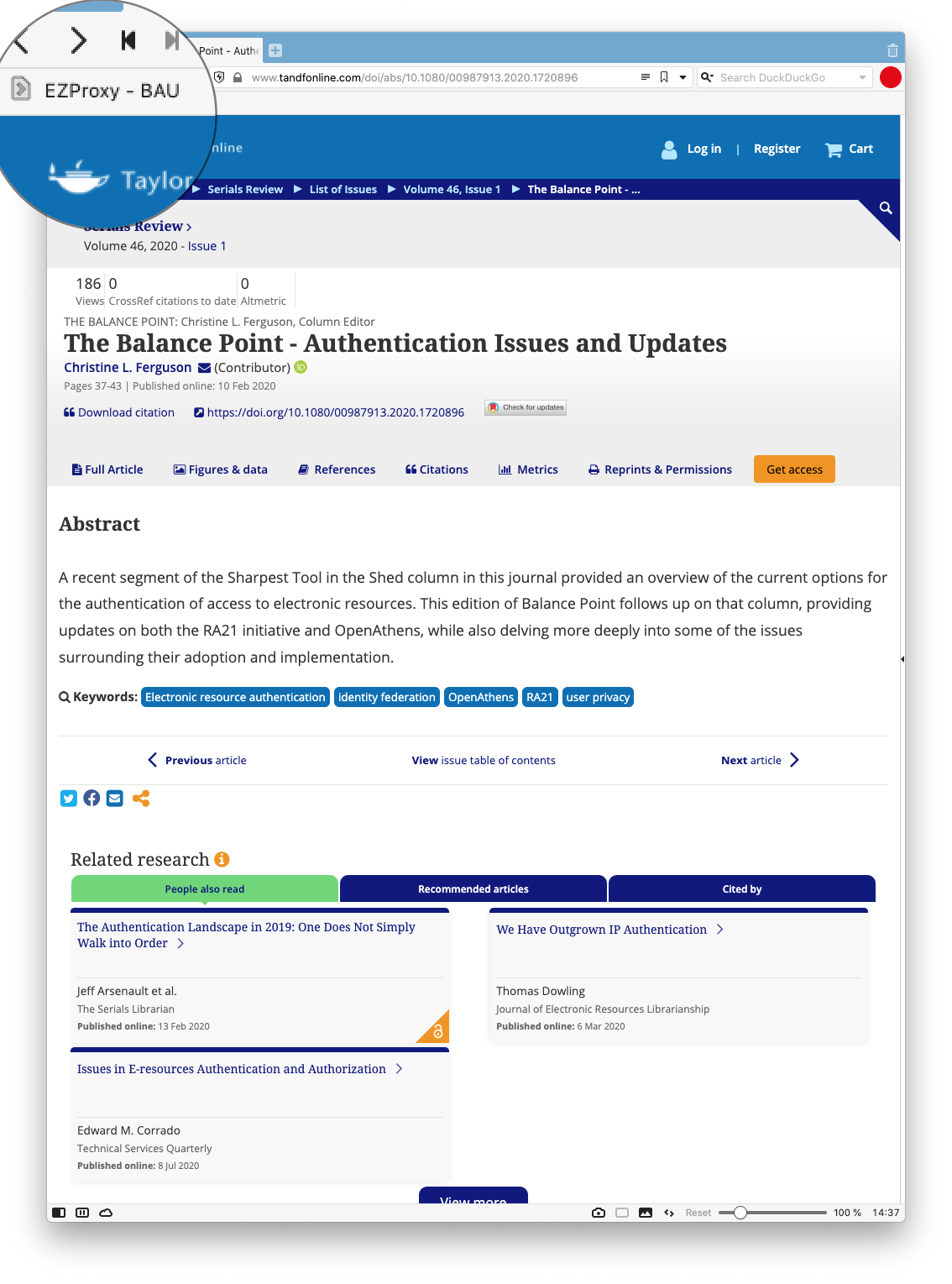](https://libguides.berlin-international.de/uploads/images/gallery/2022-03/screenshot-2022-03-14-at-14-37-05.png)* Once pressed, you will be asked for your credentials. [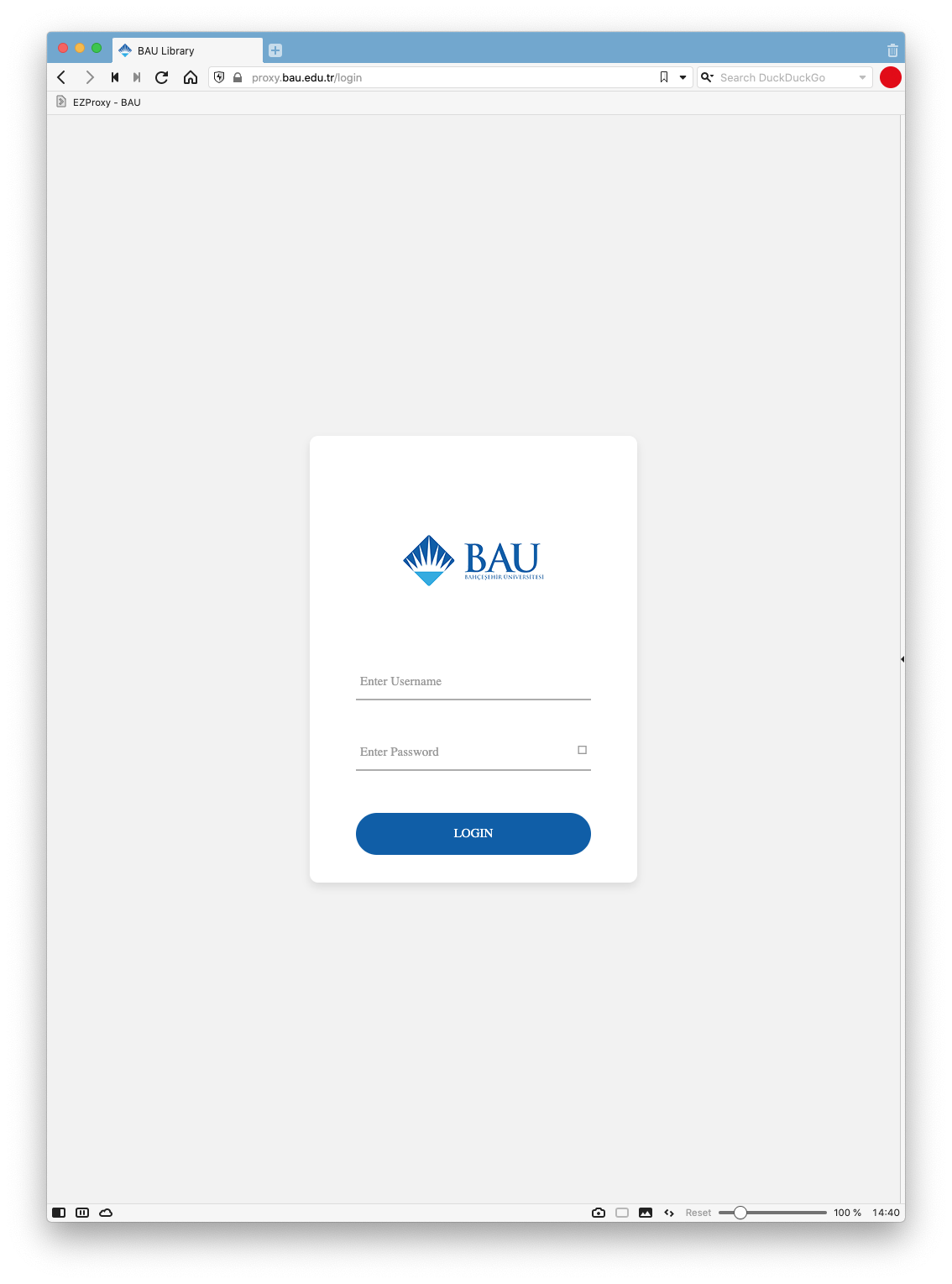](https://libguides.berlin-international.de/uploads/images/gallery/2022-03/screenshot-2022-03-14-at-14-40-21.png) After you have entered your credentials, you will have access to the full text if it is licensed by BAU. In this example, you will notice that the orange **Get Access** button in the first screenshot has now changed to a green **PDF | EPUB** button. [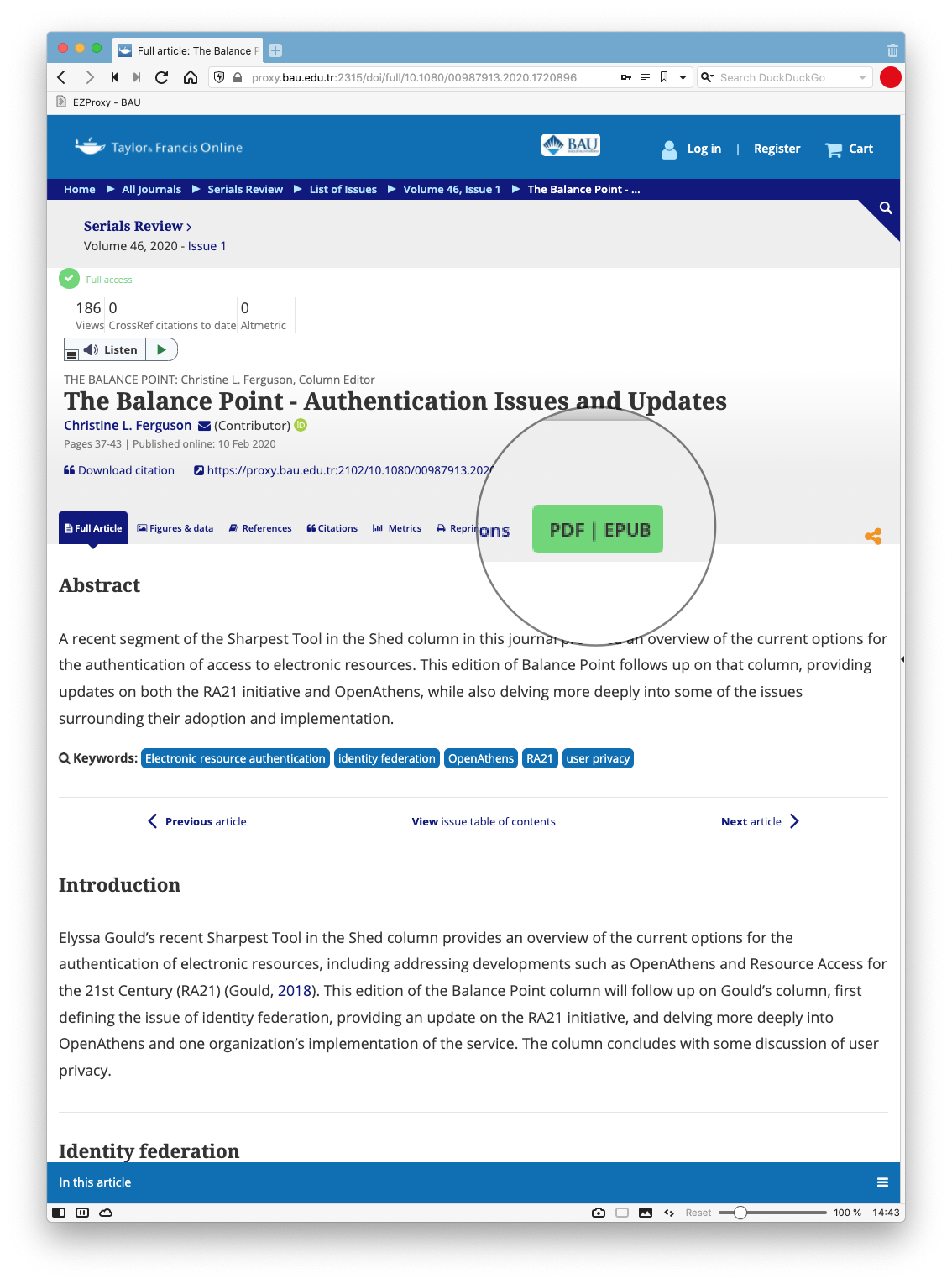](https://libguides.berlin-international.de/uploads/images/gallery/2022-03/screenshot-2022-03-14-at-14-43-53.png) ## Installing the Bookmarklet Installing the EZProxy bookmarklet varies depending on browser. In general, add the EZProxy link to an always visible Bookmarks or Favorites Toolbar, usually by dragging it into the toolbar. Below are specific instructions for some of the more common browsers. #### **Firefox[ ](https://libguides.berlin-international.de/uploads/images/gallery/2022-03/firefoxbw.png)** - From the View menu, choose "Toolbars" and "Bookmarks Toolbar" and "Always" - Right-click on the Bookmarks Toolbar and select "Add Bookmark..." with the following code as the URL: ```JavaScript javascript:void(location.href=%22http://proxy.bau.edu.tr:2048/login?url=%22+location.href) ``` #### **Chrome [](https://libguides.berlin-international.de/uploads/images/gallery/2022-03/chrombw.png)** - From the View menu, choose "Always Show Bookmarks Bar" - Right-click on the Bookmarks Bar and select "Add Page..." with the following code as the URL: ```JavaScript javascript:void(location.href=%22http://proxy.bau.edu.tr:2048/login?url=%22+location.href) ``` ### **Mobile devices** #### **Apple iOS devices [](https://libguides.berlin-international.de/uploads/images/gallery/2022-03/1024px-ios-emblem.jpeg)** - Select and copy this JavaScript code ```JavaScript javascript:void(location.href=%22http://proxy.bau.edu.tr:2048/login?url=%22+location.href) ``` - Open web browser on your device to any page and make a bookmark (it doesn't matter which one because the name and content will be edited). To make a bookmark tap the share icon on the page and choose "Add to Bookmarks". - Edit the bookmark by tapping the bookmark icon and then Edit. From the Edit view, find the bookmark you made and tap the right arrow to edit - Edit the name of the bookmark to **EZProxy - BAU** (or whatever works to describe the bookmark for you) and then paste the JavaScript code into the web address space (delete web address first). Choose Done to complete the process. - The next time you're browsing a BAU-provided resource on your mobile device off-campus, simply click or tap the **EZProxy - BAU** bookmark you created to sign in for BAU-provided access to that resource. #### **Android devices [](https://libguides.berlin-international.de/uploads/images/gallery/2022-03/android-symbol-green-rgb.png)** - Create a bookmark named **EZProxy - BAU** (or name of your choice) following all the steps described for iOS devices. - For **non-Chrome Android mobile browsers**: click or tap the Proxy bookmark you created to sign in for BAU-provided access to the resource. - for **Chrome mobile browse**r: start typing the name of the bookmark in the address bar of the browser (e.g., start typing EZProxy - BAU if that is what you named it), then select the bookmark when it appears in the drop down menu to run it. # Accessing BAU Resources Through a partnership with Bahçeşehir University (BAU), BI students and faculty members have access to dozens of research databases, containing millions of items. To access these materials, BI students must use their UMIS credentials for authentication. Please note that faculty members must use their network / WLAN credentials. For questions related to usernames and/or passwords, please contact [IT](mailto:it@berlin-international.de).UMIS usernames are usually in the format: **firstname.surname**
[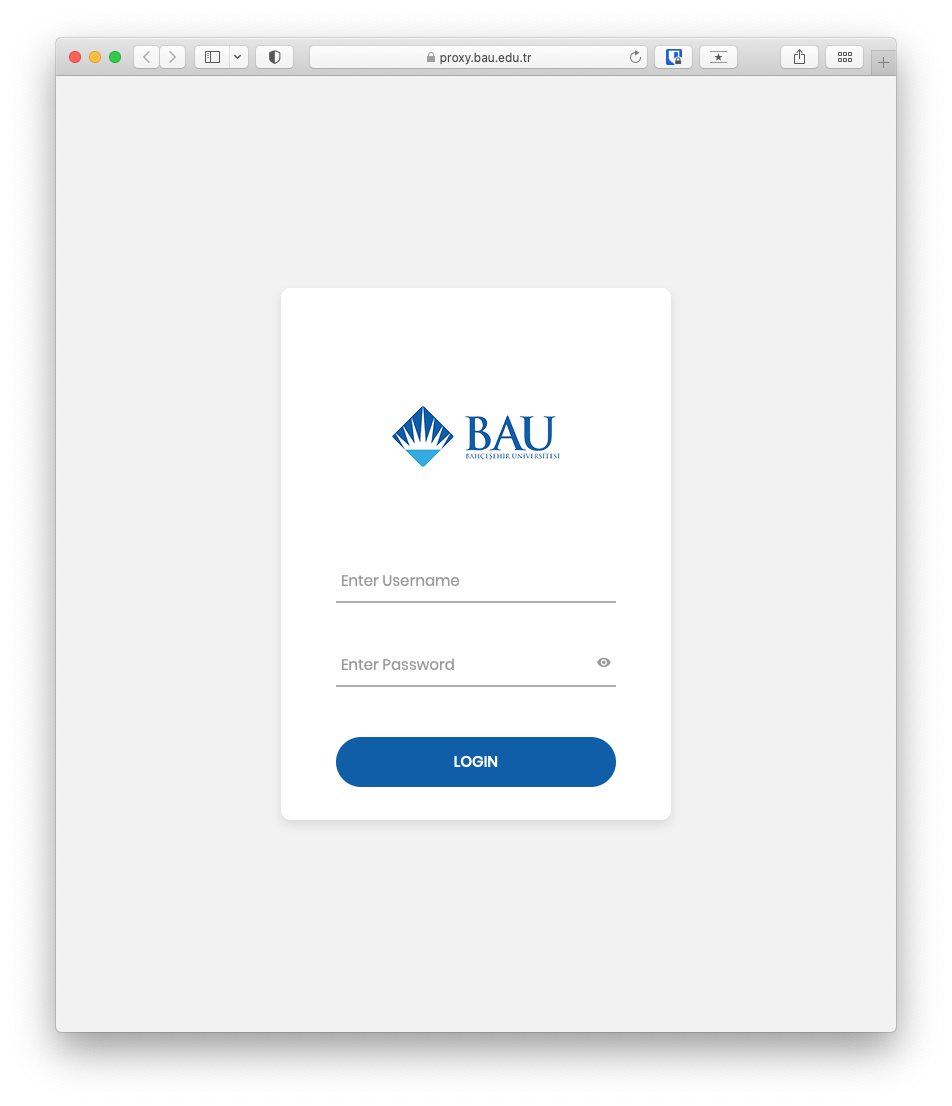](https://libguides.berlin-international.de/uploads/images/gallery/2022-10/screenshot-2022-10-20-at-08-49-45.png)If you are a staff member and don't have UMIS credentials, you can use your network / WLAN credentials.
# Using local / regional libraries ## **Federated Search** ### Kooperativer Bibliotheksverbund Berlin-Brandenburg (KOBV)The KOBV provides a portal to search most academic libraries in Berlin and Brandenburg, including BI, at the same time. Click below to search their catalog.
##### [KOBV Catalog](https://portal.kobv.de/simpleSearch.do?index=gvi&plv=2) --- ## **Accessing local / regional libraries** ### Freie Universität (FU) Those officially registered in Berlin or in Brandenburg can obtain user cards at no charge on presentation of identification (*Personalausweis*; or passport in combination with official proof of residence (*Meldebescheinigung*)). More information can be found on their [website](http://www.fu-berlin.de/en/sites/ub/service/ausweis/index.html). ##### [FU Catalog](https://fu-berlin.primo.exlibrisgroup.com/discovery/search?vid=49KOBV_FUB:FUB&lang=en) ##### [FU Research Databases](https://www.fu-berlin.de/en/sites/ub/literatursuche/online/index.html) ### Humboldt Universität (HU)Please observe: when you receive a library card number after an online registration, you can order items only during the first seven days.
When you visit the library for the first time, please register for a regular library card in order to also be able to use the library‘s WiFi. The StabiOnline service is not renewable. If you do not have a regular library card issued within six weeks, your authorisation to use electronic resources will also expire. Registration is free of charge. ##### [StaBi Catalog](http://stabikat.de/en/) ##### [StaBi Research Databases](https://staatsbibliothek-berlin.de/en/research/electronic-resources) ### Technische Universität Berlin (TU) Students can register [online](https://www.tu.berlin/en/ub/search-borrow/borrow-order/library-card/application-form-library-card) to use the libraries of the TU. There is currently no registration fee. Upon registration students can borrow books and take advantage of electronic resources. Click [here ](https://www.tu.berlin/en/ub/search-borrow/borrow-order/library-card/library-card-for-guests-and-udk-members)for more information. ##### [TU Catalog](https://tu-berlin.hosted.exlibrisgroup.com/primo-explore/search?vid=TUB&lang=en_US) ##### [TU Research Databases](https://www.tu.berlin/en/ub/search-borrow/search-for-papers-standards/databases/) ### Universität der Künste Berlin (UdK) A Technische Universität library card (see above) is valid at the libraries of the UdK Berlin. ##### [UdK Catalog](https://tu-berlin.hosted.exlibrisgroup.com/primo-explore/search?vid=TUB&lang=en_UShttps://www.udk-berlin.de/en/service/university-library/search-for-books-and-media/) ##### [UdK Research Databases](https://www.udk-berlin.de/en/service/university-library/search-for-books-and-media/online-databases/) # Open Access (OA) Journals & Articles ## What is Open Access? **Open Access (OA)** refers to the free, immediate, online availability of research outputs such as journal articles or books, combined with the rights to use these outputs fully in the digital environment. **Open access journals** are scholarly publications whose articles are available and reusable worldwide free of charge and without restrictions immediately upon publication. Unlike traditional subscription-based journals, OA content is open to all readers with no access fees. Most open access journals publish articles under [Creative Commons](https://en.wikipedia.org/wiki/Creative_Commons) licenses, allowing for broader reuse and distribution while maintaining proper attribution. ### Key Benefits of Open Access: - **Increased visibility and impact** of research through wider accessibility - **Enhanced citation frequency** due to unrestricted access - **Accelerated knowledge dissemination** without paywalls - **Global accessibility** regardless of institutional subscription status ## Tools and Resources ### [Directory of Open Access Journals (DOAJ)](https://doaj.org) The **Directory of Open Access Journals (DOAJ)** is the premier resource for discovering quality open access journals. Launched in 2003, DOAJ now contains over 21,000 journals covering all areas of science, technology, medicine, social sciences, arts, and humanities. **Key Features:** - Community-curated list of peer-reviewed OA journals - Comprehensive coverage across all disciplines and languages - Quality standards for inclusion (peer review, licensing, copyright policies) - Serves as the starting point for OA journal searches ### Other Useful Tools: - **BASE (Bielefeld Academic Search Engine)** - Specializes in open access content discovery - **OpenDOAR** - Directory of institutional repositories ## Open Access Journal Highlights ### Architecture & Design #### AGATHÓN - International Journal of Architecture, Art and Design **URL:** https://www.agathon.it **ISSN:** 2532-683X (online), 2464-9309 (print) AGATHÓN is an open access journal indexed by SCOPUS and SCIMAGO, covering Urban Planning, Architecture, Engineering, Art, and Design. The journal publishes original research in English and Italian, following a double-blind peer review process. **Focus Areas:** Urban planning, architectural design, engineering applications, product and visual design #### Architectural Science Review **Availability:** Check DOAJ for current open access status **Focus:** Building performance, environmental design, sustainable architecture ### Business & Management ### Data Science #### [*Data*](https://www.mdpi.com/journal/data) This journal focuses on enhancing data transparency and reusability in science. It publishes research on data collection methods, analysis techniques, and scientific dataset descriptions. **Key Features:** - Indexed in Scopus, Web of Science (ESCI), and other major databases - CiteScore Q2 ranking in Information Systems and Management - Rapid publication (average 19.3 days to first decision) **Focus Areas:** Data methodology, dataset documentation, data science applications ## Tips for Authors and Researchers ### Finding Quality OA Journals: 1. **Use DOAJ** as your primary search tool for legitimate OA journals 2. **Check indexing status** in major databases (Scopus, Web of Science) 3. **Verify peer review processes** and editorial board credentials 4. **Review licensing terms** to understand reuse rights ### Funding Considerations: - Many OA journals use **Article Processing Charges (APCs)** to cover publication costs - Some journals operate on **diamond open access** (free for both authors and readers) - Check institutional funding support for OA publication fees - Consider **green open access** through institutional repositories as an alternative ### Quality Indicators: - Inclusion in DOAJ directory - Clear peer review policies - Transparent editorial processes - Proper ISSN registration - Appropriate licensing (typically Creative Commons)